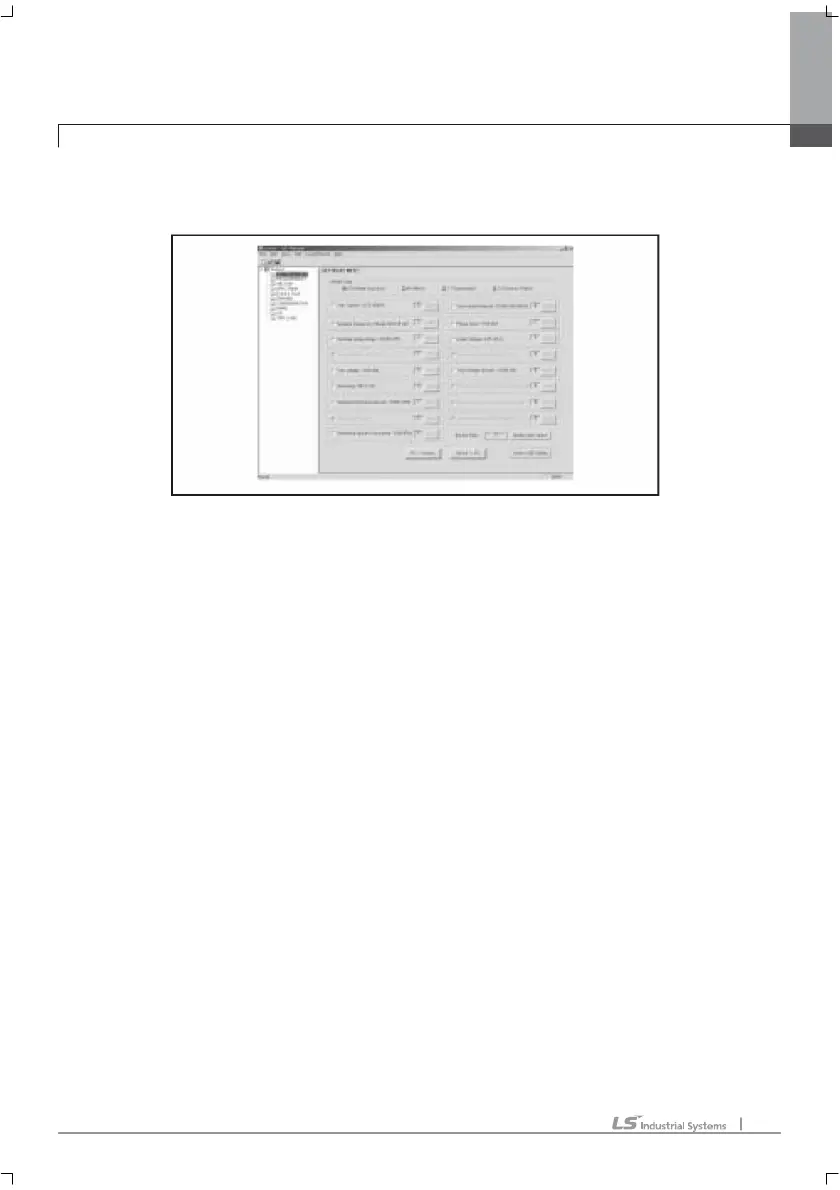
SET RELAY INFO:
This menu provides relay elements setting function. Double click to use.
User can set up the 17 relay elements and change the values. If user wants upload
the changed values from PC to GIPAM, click PC->Device. And user can supervise
the set value in GIPAM2000 by click Device->PC.
SETTING INTERFACE
1. The available relay elements are different by GIPAM2000 model type. Model type
can be checked by clicking Device->PC.
2. Check the relay elements user wants. The setting button of each relay elements will
be activated.
3. Click the setting button of each relay elements. And the setting window will be
opened.
4. Set up properly and click OK.
- Instantaneous Char.: instantaneous characteristic
- op. time: operation time
- Time delay char: time delay characteristic
- Definite: definite time delay
- SI: standard inverse time delay
- VI: very inverse time delay
- EI: extremely inverse time delay
- LI: long inverse time delay
2. PC interface (program option)
2. PC interface (program option)2. PC interface (program option)
2. PC interface (program option)



 To Next Page