2
22
2-
--
- 1 SUMMARY
1 SUM MARY1 SUM MARY
1 SUM MARY
2
22
2-
--
- 2 PRO GRAM operation
2 PROGRA M operation2 PROGRA M operation
2 PROGRA M operation
2. PC interface (program option)
2. PC interface (program option)2. PC interface (program option)
2. PC interface (program option)
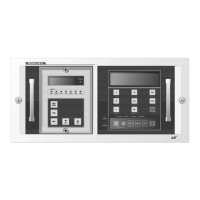
This program supports user to set up GIPAM2000 and monitor the device operation.
For the program, user must connect PC and GIPAM2000 with serial port.
This program is provided with GIPAM2000. this program is specified with Win9X,
Windows NT systems.
• Installation
1. Insert CD to the CD-rom and click setup.exe file.
2. Follow the program guidance.
3. User can select install folder. The default is ‘C:\PROGRAM\LSIS\GIPAM-2000
Setting’
The program name is G2K MANAGER.exe and the manual file guide.doc will be
created automatically. And PLC manager program ‘GMWIN’ will be installed too.
To operating program, follow the instructions.
1. GIPAM2000 power ON
GIPAM2000 can operate with AC/DC 88~256V without tab or conversion switch.
But, DI input voltage is AC/DC 110V. Pay special attention to DI input and wiring.
And FRAME GROUND(F.G) must be confirmed.
2. Connect the IrDA cable to PC serial port and put the IrDA device head to
GIPAM2000 IrDA port. This device use infrared rays to communicate with PC.



 To Next Page