14
│
LuCell (LU-3000)
2. Checking the contents of the USB memory stick
3. Formatting the USB memory stick
※ Caution: All contents will be erased when formatting.
※ Caution: Videos will not be saved if the file system domain is not “FAT32.”
USB memory
Content PC
※ Notice
Folders are created by dates and files are organized according to time.
Movies can be viewed by double-clicking the file.
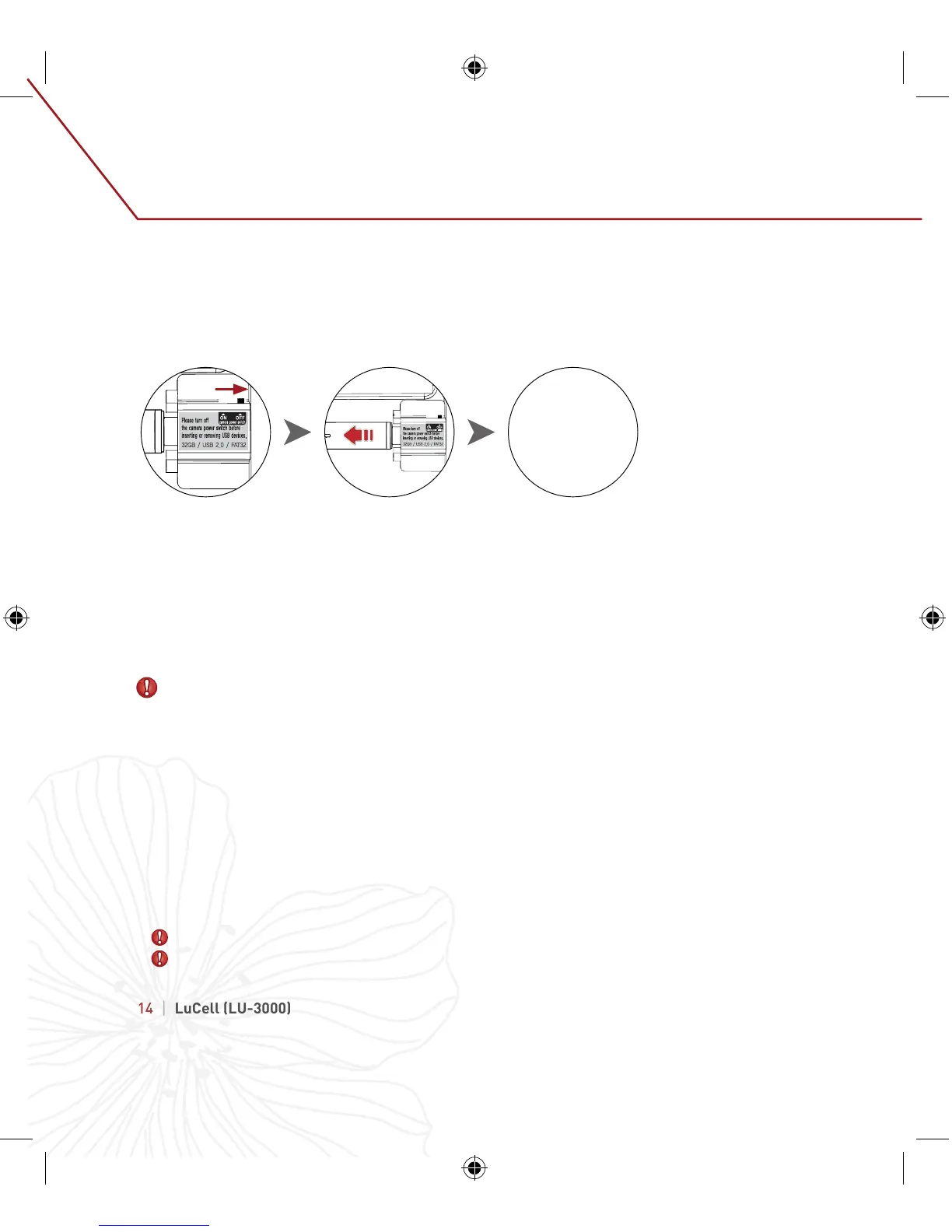
1. Turn off camera power
2. After LED turns off, pull USB memory stick to the left and remove.
- Memory may get damaged if USB memory stick is removed while power is on.
- Saved videos in last minute may get damaged and be unable to play if the power
is turned off.
3. Connect USB memory stick to PC.
1. Insert the USB memory stick into the PC.
2. Under My Computer, right-click on “camera USB.”
3. Format page will appear when “format” is selected.
4. Check if the file system domain is “FAT32.” Click the start button to format.
Contents can be checked when the USB memory is inserted into a PC.


 To Next Page