8
│
LuCell (LU-3000)
Registering fingerprint
Enter current password and open door.
※ Maximum registration of 10 fingerprints possible. “Id-specific number”
※ signifies number of registered fingerprints.
※ When fingerprint is correctly registered, Id and specific number will be
displayed.
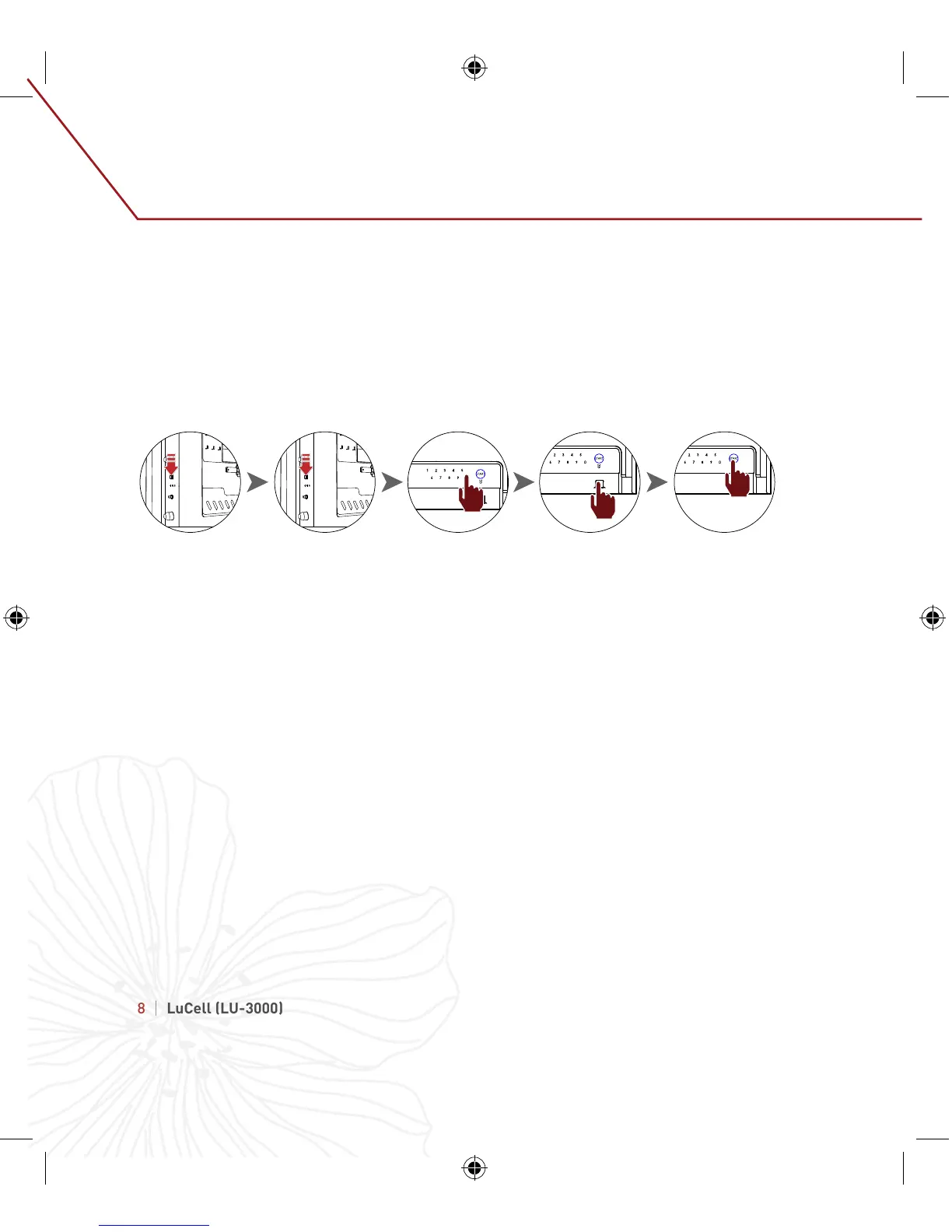
1. Press password change button inside door for 3 seconds until LCD displays “SEt.”
2. Press password change button again for a short time.
- “FingEr” will be displayed on LCD along with voice sound of “Fingerprint set up.”
3. Press 0 and place finger on fingerprint recognizer until “Id-specific number”
appears.
4. Press start button to finish.
5. Press 0 and repeat steps to add more fingerprints"
1 2 3 3 4
6.
Registering and Deleting Fingerprint


 To Next Page