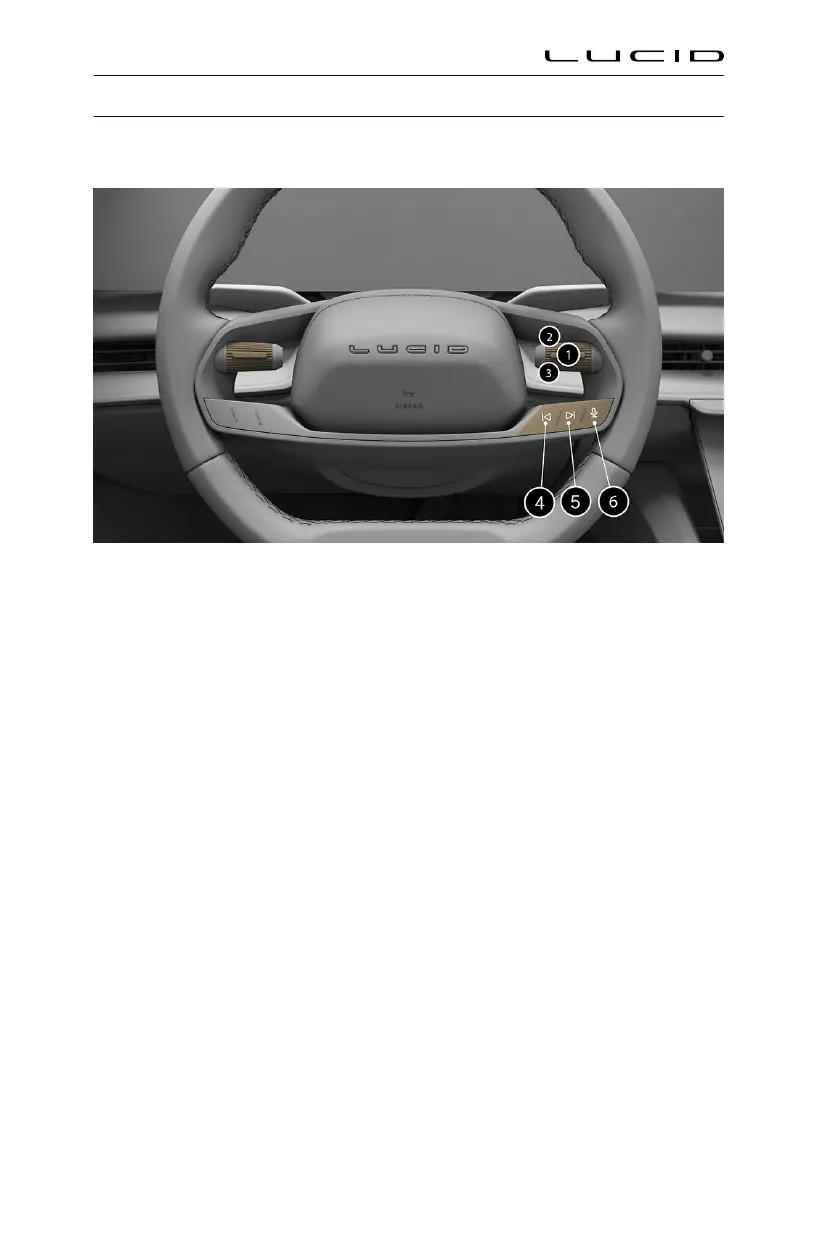
Physical Media Controls
Steering wheel media controls
When active media is playing, or a call is in progress, use the steering wheel controls as followed:
1. Right Tole/Center Button: Press the button to play/pause the media playback or to mute/
unmute the radio or to answer a call. To answer an incoming call, press once. To reject
incoming call, press and hold.
2. Rocker-Up: Tole and hold to increase volume.
3. Rocker-Down: Tole and hold to decrease volume.
4. Previous: Press to skip to the previous available media. When using the radio, press to scan to
the previous available frequency. See AM and FM Radio on page 125.
5. Next: Press to skip to the next available media. When using the radio, press to scan to the
next available frequency. See AM and FM Radio on page 125.
6. Voice Assistant: use to invoke configured voice assistant.
Infotainment
123


 To Next Page