To reduce the risk of injuries in an accident,
follow these instructions:
- The driver and front passenger position
their seats so that they can correctly
wear the seat belt while being as far
away from the front airbags as possible.
- Sit upright, place both feet on the
floor, and make sure that the seat back
reclines no more than 30 degrees.
- Easily reach the pedals with your feet
and slightly bend your arms while
holding the steering wheel. The distance
between the driver's chest and the
center of the airbag cover should be at
least 10 inches (254 mm).
-
Grasp the steering wheel on the steering
wheel rim. Hold your hands at the 3
o'clock and 9 o'clock positions to reduce
the risk of injury to your hands or arms if
the airbag deploys.
-
Adjust the D ring position to position the
shoulder section of the seat belt midway
between your neck and your shoulder.
Fit the lap section of the belt tightly as
low and snug as possible around the
hips, not the waist.
WARNING: When the seat is in the
reclined position, the shoulder belt
and lap belt does not provide proper
protection in an accident. You could
slip past the shoulder belt, be thrown
into the shoulder belt and receive
neck or other serious injuries. You
could also slide under the lap belt and
receive serious internal injuries.
Massage Feature
Both front seats have a seat massage feature
to help prevent muscle fatigue and improve
blood circulation when seated for long periods
of time.
To control seat massage programs using the
Pilot Panel, select > MASSAGE.
Select the required seating position using
the DRIVER or PASSENGER tab. Select the
massage program you want to use from the
side menu.
Note: If you previously used the massage
feature, the massage feature selects the last
used program and intensity.
Press the START MASSAGE button to activate
the seat massage feature.
Each massage program runs for 20 minutes. A
countdown showing the time remaining shows
on the screen. To stop the massage program,
press the STOP MASSAGE button.
The intensity of the massage can be increased
or decreased by pressing the or
icons.
Seat Heating and Ventilation
Both front seats have integrated seat heaters
and ventilation.
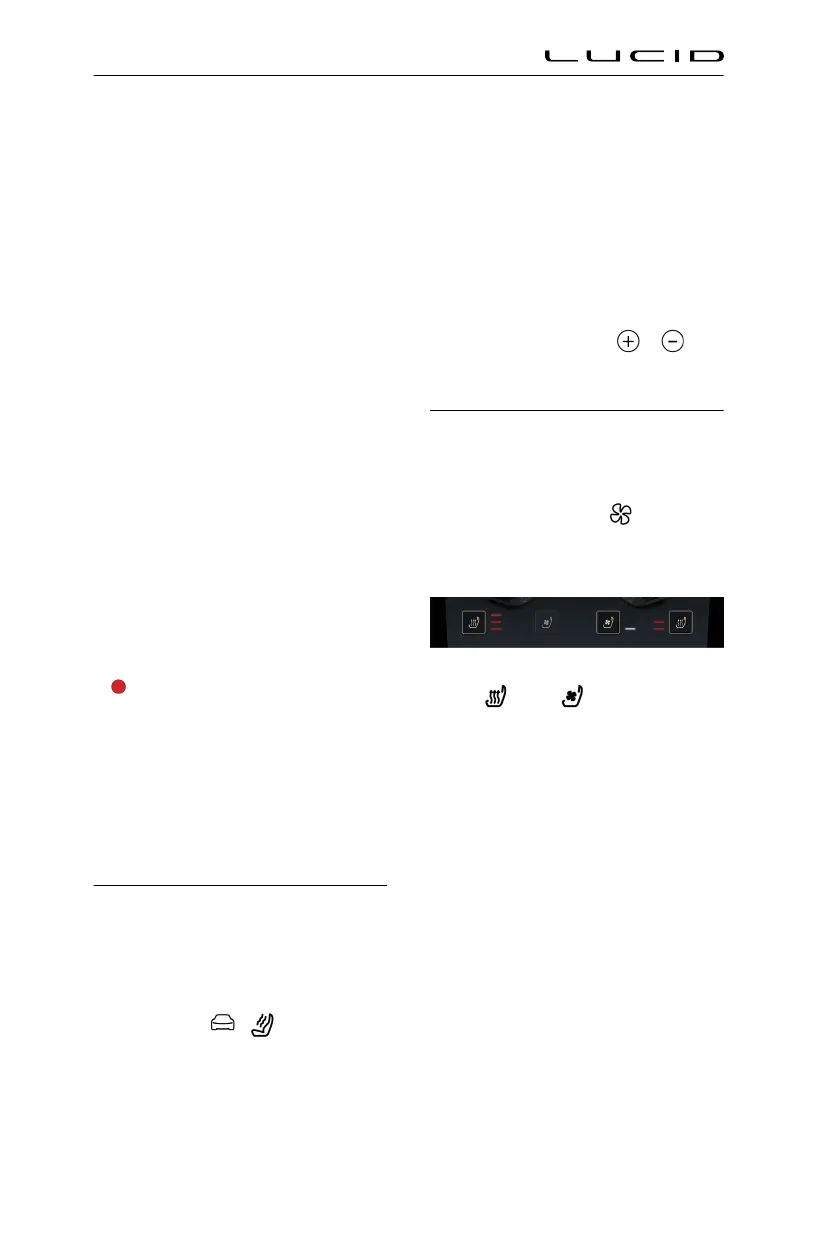
To control seat heating and ventilation
using the Pilot Panel, select . Press the
corresponding icon to heat or ventilate the
desired seat.
You can heat or ventilate the seats at
three different levels.
- Press once to operate at the
highest level. Three intensity indicators
illuminate.
- Press twice to operate at the medium
level. Two intensity indicators illuminate.
- Press a third time to operate at the
lowest level. A single intensity indicator
illuminates.
- Press a fourth time to turn off the
selected feature.
Pressing one of the two zones on the seats
deactivates heating or ventilation for that
zone.
Note: Seat heating and ventilation cannot be
used both together. Changing the seat heating
to ventilation stops the seat heating and
turns on the ventilation. Similarly, changing
Seating & Safety Restraints
31


 To Next Page