EasyManua.ls Logo

Lumantek ez-Pro VS4 - User Manual

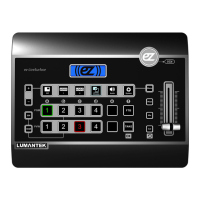
Lumantek ez-Pro VS4
24 pages
Print Icon
To Next Page IconTo Next Page
Loading...
Question and Answer IconNeed help?

Do you have a question about the Lumantek ez-Pro VS4 and is the answer not in the manual?

Summary

Safety Precautions

Installation Precautions

Safety measures to avoid physical damage or injuries during installation/operation.

General Precautions

Guidelines for maintaining a dust-free environment and handling the system safely.

Power Precautions

Safety measures related to electrical connections and grounding.

Introduction to VS4 Switcher

Product Overview

Overview of Lumantek's ezStudio brand and the VS4 as a video switching console.

Key Features

Lists inputs/outputs, PIP, Keyer, and 3G-SDI support.

Product Configuration - Front and Rear Panels

Front Panel Layout

Identifies controls and indicators on the front of the VS4 unit.

Rear Panel Layout

Details the various input and output connectors on the rear of the VS4.

Product Configuration - Accessories and Software

Included Accessories

Images and labels for the stand-alone video switcher, power adapter, and manual.

Software Download Information

Information on how to download the latest software for the VS4.

Interface - HDMI Multiview

Multiview Layout Explained

Visual representation of the multiview display with PGM and PVW monitoring.

Interface - LED Screen Controls

Transition Effects and Resolution

Explains screen transition effects, time settings, and resolution options.

Interface - Function Key Overview

Control Panel Function Keys

Illustrates the function keys on the ez-LiveSurface control panel.

Interface - Function Key Operations

Detailed Key Functions

Detailed explanation of how different keys function in SWITCHER and MENU modes.

Interface - PIP and Logo Settings

PIP and Logo Screen Configuration

Configuration options for Picture-in-Picture and Logo overlays.

Interface - Chroma Settings

Chroma Screen Parameter Adjustments

Controls for chroma keying, including hue, angle, saturation, and displacement.

Interface - Luma Settings

Luma Screen Parameter Adjustments

Settings for luma keying, covering width, gain, transparency, and inversion.

Interface - Audio and System Settings

Audio and System Configuration Details

Configuration for audio levels, muting, and system parameters like resolution and defaults.

Technical Terms - Background;Foreground

Background and Foreground Concepts

Explanation of background and foreground elements in video production.

Technical Terms - Hue;Angle;Gain

Hue, Angle, and Gain Explained

Definitions and visual representations of Hue, Angle, and Gain parameters.

Screen Operations - Program Screen

Program Screen Layout and Elements

Details on background screen, chroma/luma, logo usage, and PIP insertion.

Screen Operations - Multiview Screen

Multiview Screen Display and Status

Information on how the multiview screen displays audio status and overlays.

System Specifications

Input and Output Specifications

Details video/audio inputs, outputs, and supported resolutions.

Console and Physical Specs

Information on console management, dimensions, power, temperature, and weight.

Summary

Safety Precautions

Installation Precautions

Safety measures to avoid physical damage or injuries during installation/operation.

General Precautions

Guidelines for maintaining a dust-free environment and handling the system safely.

Power Precautions

Safety measures related to electrical connections and grounding.

Introduction to VS4 Switcher

Product Overview

Overview of Lumantek's ezStudio brand and the VS4 as a video switching console.

Key Features

Lists inputs/outputs, PIP, Keyer, and 3G-SDI support.

Product Configuration - Front and Rear Panels

Front Panel Layout

Identifies controls and indicators on the front of the VS4 unit.

Rear Panel Layout

Details the various input and output connectors on the rear of the VS4.

Product Configuration - Accessories and Software

Included Accessories

Images and labels for the stand-alone video switcher, power adapter, and manual.

Software Download Information

Information on how to download the latest software for the VS4.

Interface - HDMI Multiview

Multiview Layout Explained

Visual representation of the multiview display with PGM and PVW monitoring.

Interface - LED Screen Controls

Transition Effects and Resolution

Explains screen transition effects, time settings, and resolution options.

Interface - Function Key Overview

Control Panel Function Keys

Illustrates the function keys on the ez-LiveSurface control panel.

Interface - Function Key Operations

Detailed Key Functions

Detailed explanation of how different keys function in SWITCHER and MENU modes.

Interface - PIP and Logo Settings

PIP and Logo Screen Configuration

Configuration options for Picture-in-Picture and Logo overlays.

Interface - Chroma Settings

Chroma Screen Parameter Adjustments

Controls for chroma keying, including hue, angle, saturation, and displacement.

Interface - Luma Settings

Luma Screen Parameter Adjustments

Settings for luma keying, covering width, gain, transparency, and inversion.

Interface - Audio and System Settings

Audio and System Configuration Details

Configuration for audio levels, muting, and system parameters like resolution and defaults.

Technical Terms - Background;Foreground

Background and Foreground Concepts

Explanation of background and foreground elements in video production.

Technical Terms - Hue;Angle;Gain

Hue, Angle, and Gain Explained

Definitions and visual representations of Hue, Angle, and Gain parameters.

Screen Operations - Program Screen

Program Screen Layout and Elements

Details on background screen, chroma/luma, logo usage, and PIP insertion.

Screen Operations - Multiview Screen

Multiview Screen Display and Status

Information on how the multiview screen displays audio status and overlays.

System Specifications

Input and Output Specifications

Details video/audio inputs, outputs, and supported resolutions.

Console and Physical Specs

Information on console management, dimensions, power, temperature, and weight.

Lumantek ez-Pro VS4 Specifications

General IconGeneral
Power Supply12V DC
Input Ports4
Switching TypeCut
Audio InputsEmbedded
Audio OutputsEmbedded
ControlRS-232
Tally OutputYes
Transition EffectsCut
Operating Temperature0°C to 40°C
Storage Temperature-20°C to 60°C