10
N31U User manual
5 SERVICE
The N31U meter user interface includes an LCD display and the buttons which
enable to display the measuring value, a full conguration and setting of the
meter or modication of the parameters.
After turning the meter on the display shows the name of the meter and the
software version. If there is no error during meter initialization process, the
meter will switch to displaying the measuring value. If during the initialization
any irregularities or deviations are detected, than a message with information
about a detected error will be displayed (see point 6 - Error codes).
5.1 Description of the frontal plate
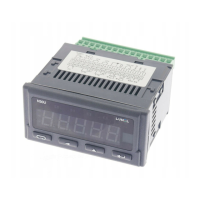
View of the front panel of the meter is shown in Fig. 6. The LCD display with
backlight and 4 buttons are on the front panel. The description of the display
elds is shown below. The button functions are shown in the section 5.2.
Connecting the transducer with a voltage output in 3-wire
system.



 To Next Page
 Loading...