Need help?
Do you have a question about the Lumel ND30 and is the answer not in the manual?
Details about the meter's galvanically isolated current inputs and compatibility.
Explains galvanically isolated voltage inputs and their specified ranges.
Provides diagrams for external electrical connections to the meter.
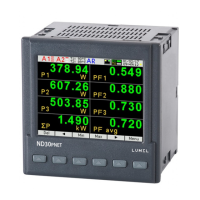
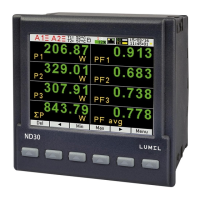
Describes the ND30 meter's front panel, including buttons and screen layout.
Details the normal work mode for displaying measured values as configured.
Explains the mode for configuring meter parameters, including password protection.
Covers the configuration of alarms, including alarm 1 and alarm 2 settings.
Describes the configuration options for the analog output signal.
Details how to configure the pages displayed in the meter's normal work mode.
Explains the settings for archiving measured values and managing archive data.
Covers the configuration of the Ethernet interface for network connectivity.
Details the configuration settings for the Modbus serial interface.
Allows configuration of general meter settings like password, language, time, and date.
Provides a preview of meter information such as program version and serial number.
Details the internal memory capacity and record storage capabilities.
Explains the procedure for copying archived data to external files via CSV or RS485.
Describes the format and structure of archived data files stored in CSV format.
Lists the parameters and specifications for the RS485 serial interface.
Provides practical examples of reading and writing data via Modbus registers.
Details the ND30 meter's Ethernet interface for network connectivity and web services.
Instructions for upgrading the meter's web interface via FTP server.
Guide for updating the meter's main firmware using eCon software and Lumel Updater.
 General
| Rated current | 5 A |
|---|---|
| Frequency | 50/60 Hz |
| Display | LCD |
| Power supply | 85...253 V AC or 90...300 V DC or 20...40 V AC or 20...60 V DC |
| Protection degree | IP65 (front), IP20 (terminals) |
| Digital outputs | 2 relay outputs |
| Communication interface | RS-485 Modbus RTU |
| Measurement category | CAT III |
| Operating Temperature | -20°C to +55°C |
| Protection Class | Class II |
| Accuracy class | 0.2 (current, voltage), 0.5 (energy) |
| Accuracy | Voltage: ±0.2%, Current: ±0.2%, Energy: ±0.5% |

 To Next Page