English - 24
Chapter 6 Descriptions of Major
Functions
6.1 I would like to switch camera
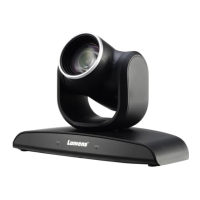
1. Press [Camera 1 ~ 3] on the remote control to select VC-B30U.
Camera 1 ~ 3 is selected with IR SELECT.
6.2 I would like to control the camera
The VC-B30U can be controlled using the “USB PTZ Camera Controller”
software or the VS-K20 Compact Camera Controller.
The USB PTZ Camera Controller software can be downloaded from the
Lumens website. Refer to the USB PTZ Camera Controller Manual for
more details.
The VS-K20 Compact Camera Controller can be purchased
separately. Please refer to the VS-K20 User Manual for more details.
6.3 I would like to save the current lens position data
1. Hold [Preset + ID] on the remote control to save the current position
data.
ID shall be a digit [0 ~ 9].
Use VISCA Command to store position data to [0 ~ 127]
6.4 I would like to clear the saved position data
1. Hold [Reset + ID] on the remote control to clear the given position
data.
ID shall be a digit [0 ~ 9].
Use VISCA command to clear position data stored in [0 ~ 127]
6.5 I would like to turn on the back light compensation


 To Next Page
 Loading...