English - 28
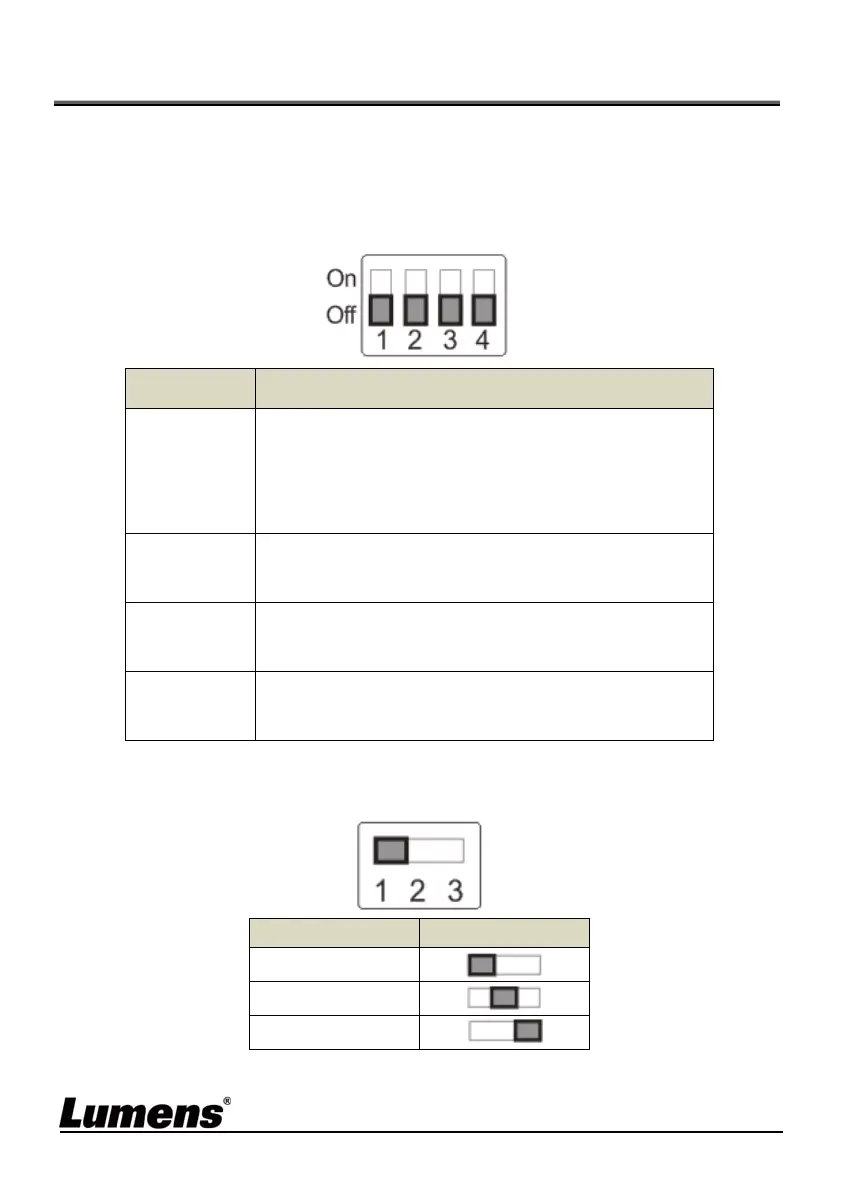
Chapter 7 DIP switch setting
<Note> Please turn off the machine before changing DIP switch
setting.
7.1 SYSTEM SWITCH
Setting Function Descriptions
DIP 1
HDMI / USB Mode
OFF: USB Mode (USB and HDMI can output
screens simultaneously)
ON: HDMI Mode (Only HDMI has output screens)
DIP 2
Output Resolution
OFF:1080P / ON:720P
DIP 3
Power Frequency
OFF:60Hz / ON:50Hz
DIP 4
Bulk / ISO Mode
OFF: Bulk Mode / ON:ISO Mode
7.2 IR SELECT
ID Setting
1
2
3


 To Next Page
 Loading...