
EasyManua.ls Logo

Luminex Amnis FlowSight - User Manual

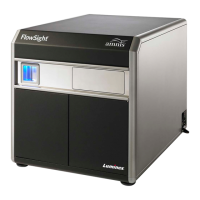
Luminex Amnis FlowSight
54 pages
Print Icon
To Next Page IconTo Next Page
Loading...
Amnis
®
FlowSight
®
Imaging Flow
Cytometer User Manual
For Research Use Only. Not for use in diagnostic
procedures.
780-01286-03 Rev D
February 2020
Technical Support
Telephone: 512-381-4397
North America Toll Free: 1-877-785-2323
International Toll Free: + 800-2939-4959
Email: support@luminexcorp.com
www.luminexcorp.com
Luminex Corporation
12212 Technology Blvd.
Austin, Texas 78727
U.S.A.

Questions and Answers

Luminex Amnis FlowSight Specifications

General IconGeneral
TypeImaging flow cytometer
Laser ConfigurationMultiple Lasers
Laser Wavelengths405 nm, 488 nm, 642 nm
ChannelsUp to 10
Magnification20x
Sample ThroughputVariable based on sample type
Image Resolution0.5 µm/pixel at 20x magnification
SensitivityHigh sensitivity for fluorescence detection
SoftwareIDEAS image analysis software
Applicationsmicrobiology
TechnologyFlow Cytometry with Imaging

Summary

Chapter 1: General Information and Safety

Electrical Safety

Covers electrical hazards, grounding, and safety precautions for the instrument.

Laser Safety

Details laser classification, accessible radiation, and warning labels for laser safety.

Biological Safety

Addresses biohazard levels, sample handling, and disposal of biological materials.

Spare Parts

States that only Luminex-trained technicians can service the instrument.

Explanation of Symbols

Chapter 2: Experimental Design

Amnis FlowSight Fluorochrome Charts

Provides a chart of recommended fluorochromes for the Amnis FlowSight system.

Chapter 3: Using the Amnis FlowSight Imaging Flow Cytometer

Operating the FlowSight System

Outlines daily operation including initialization, calibration, sample runs, and shutdown.

FlowSight Software User Interface

Describes the layout and components of the FlowSight software interface.

Instrument Control Panel

Details the tools for controlling instrument operation, data acquisition, and status.

Reagents

Lists and describes recommended reagents for optimizing instrument performance.

Daily Startup and Calibration

Provides step-by-step instructions for starting up and calibrating the instrument.

Data Acquisition

Guides users on acquiring experiment data files after system calibration.

Collecting Compensation Files

Explains how to collect compensation samples using the wizard or manually.

Setting Image Display Properties

Describes methods for setting image display properties for visualization.

Setting up the Work Area

Guides on creating scatterplots and histograms in the analysis area.

Quick Start Guide to System Operation

Provides a condensed overview of the system's operational steps.

AutoSampler Option

Explains how to use the AutoSampler for unattended operation of 96-well plates.

Define the Plate

Details the process of creating a Well Plate Definition for the AutoSampler.

Start the AutoSampler

Guides on initiating the unattended plate run using the AutoSampler.

Menus

Describes functions accessible from the INSPIRE software menu bar.

Compensation Menu

Explains operations related to creating, loading, viewing, and editing compensation matrices.

Chapter 4: Troubleshooting

System Troubleshooting

Lists common system issues and potential solutions.

Image Troubleshooting

Addresses problems related to image acquisition and display.

Intensity Troubleshooting

Covers issues with fluorescence intensity appearing too dim or too bright.

Software Troubleshooting

Provides solutions for software-related issues like freezing or slow updates.