Installation Instructions DualGig-2.5 20200506 12
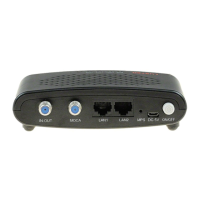
Press the MPS button on both MoCA®-2.5 adapters within 2 minutes. Both
MoCA®-2.5 adapters form a network with Privacy enabled.
Situation C: A network with MoCA
®
-2.0 adapters and MoCA
®
-2.5 adapters
Attention! In a network with both MoCA®-2.5 adapters and one or more
MoCA®-2.0 / 1.1 / 1.0 adapters, the MoCA®-2.5 adapter does not “see” the
other MoCA®-2.0 / 1.1 / 1.0 adapters.
Situation D: A network of MoCA®-2.5 adapters with different network pass-
words.
Method 1, manually.
• Mount all MoCA®-2.5 adapters according to instructions.
• Use the menu in all MoCA®-2.5 adapters to equalize the network pass-
word, click or “Save” and “Reboot”.
Method 2, with the MPS function (only works if all MoCA® adapters are type
2.5).
• Mount all MoCA®-2.5 adapters according to instructions, but do not turn
on the power yet.
• Turn on the power of one of the MoCA®-2.5 adapters, set the Privacy to
enabled via the menu of that MoCA®-2.5 adapter and create a network
password
• Turn on the power of the 2nd MoCA®-2.5 adapter and press the MPS
button on both MoCA®-2.5 adapters. Wait for the connection to be estab-
lished.
• Turn on the power of the 3rd MoCA®-2.5 adapter and press the MPS but-
ton and that of any of the other MoCA®-2.5 adapters. Wait for the connec-
tion to be established.
Repeat the previous step for each additional MoCA®-2.5 adapter.
MPS (MoCA
®
Protected Setup)


 To Next Page