520200506Installation Instructions DualGig-2.5
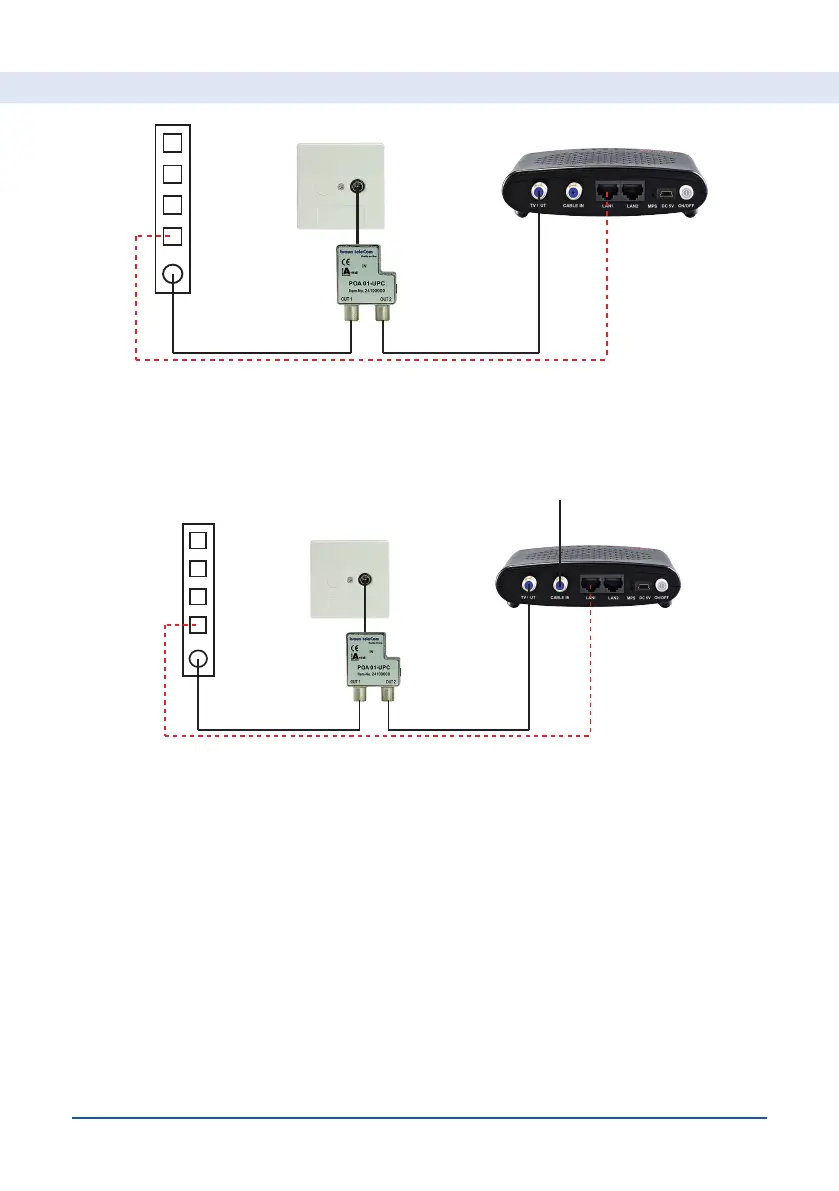
• Find and label the coaxial cable that will connect (with or without passive
products) to the connector on your 2nd MoCA® adapter. Mount that coax-
ial cable to the “MOCA” connector of your 1st MoCA® adapter.
• Connect your 1st MoCA® adapter to the power adapter and press the
“ON/OFF” button. After a few seconds, the PWR LED on the MoCA®
adapter will illuminate.
Mounting your 2nd MoCA® adapter
• Connect your 2nd MoCA® adapter to your 1st MoCA® adapter by mount-
ing the coaxial cable coming from your 1st MoCA® adapter to the “MOCA”
connector of your 2nd MoCA® adapter.
For Subscribers connected to a Coax network


 To Next Page