Installation Instructions DualGig-2.5 20200506 6
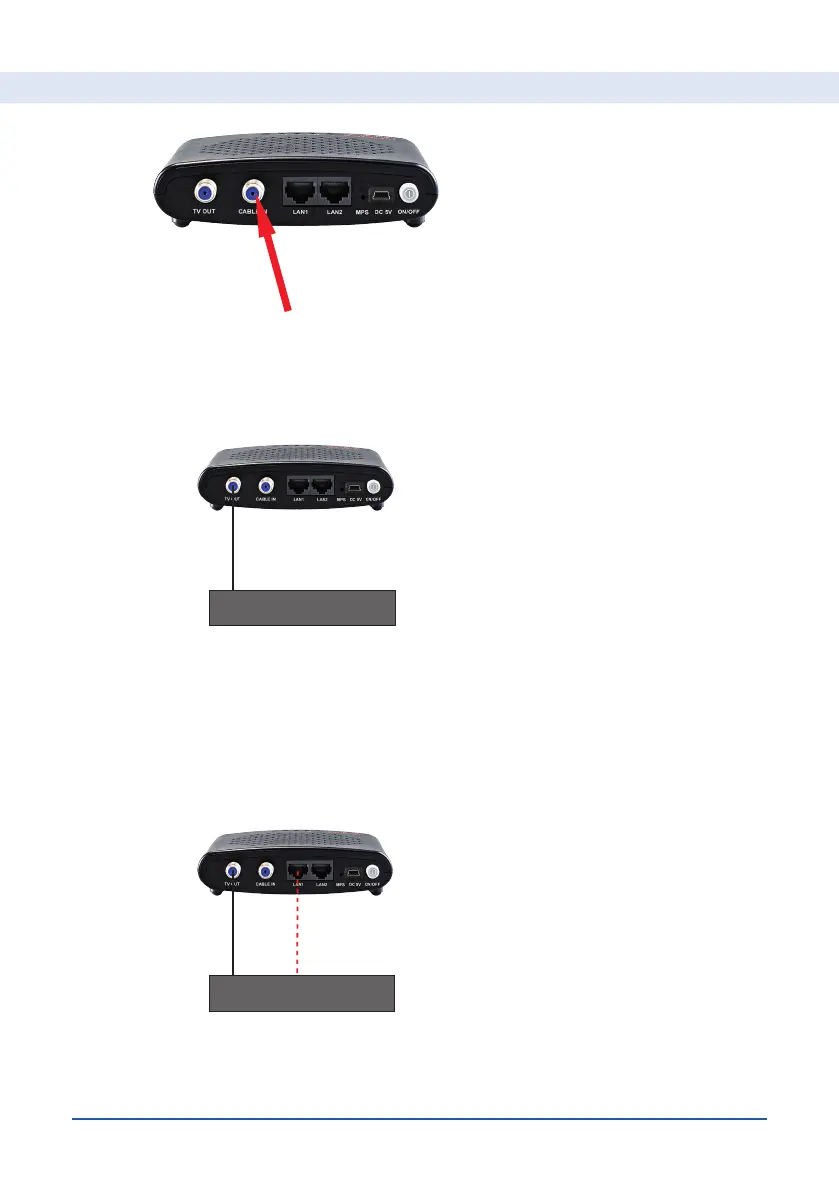
• Connect a Fmale-IECmale coaxial connection cable to the coaxial input
connector of your media box or television and the “IN-OUT” connector of
your 2nd MoCA® adapter (if necessary use the supplied coaxial cable and
the Ffemale/IECmale adapter).
• Connect one or two of your internet devices (for example a WiFi access
point, Sonos speaker, Apple TV, Ikea bridge, etc.) to LAN1 or/and LAN2.
You can use both LAN ports simultaneously.
• Only for subscribers with a media box that require both a coax and
Ethernet signal: connect a network cable (UTP) to the LAN1 or LAN2 and
connect it to the network input of your media box.
• Connect your MoCA® adapter to the power adapter and press the “ON/
OFF” button. After a few seconds, the PWR LED on your MoCA® adapter
will light up.
For Subscribers connected to a Coax network


 To Next Page