36
Selection of priority channel (TX.SEL - MENU 2)
Function: allows transmitting in the sub-band although you are using the operating band.
Enter into menu 2 to select the priority transmission band. The default value is: EDIT.
EDIT: you will transmit on the operating band.
BUSY: you will transmit on the last band used for transmitting.
VOX level setting and activation (VOX and VOX.SW - MENU 3 and 16)
Function: the VOX function allows an automatic transmission / reception based on the voice
reception through the built-in microphone. With the VOX on, you do not need to press the PTT
button to transmit, and it is not necessary to use an external earphone with VOX to use this
function.
Enter into menu 16 to activate the VOX function. The default value is: OFF.
When this function is on, the “VOX” icon will appear on the display.
Enter into menu 3 to set the VOX level.
There are 9 available levels.
The higher the level is, the greater sensitivity you will have.
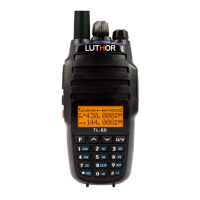
The TL-60 has a setting via soware for adjusting a VOX delay time (a delay time for transmitting-
receiving aer you stop speaking).
The default value is: 2 secondss.
Setting the transmission power (POW - MENU 4)
Function: allows selecting the High or Low transmission power depending on your environment
and your needs. When you store memories, you can save the High or Low transmission power
setting independent for each memory.
Enter into menu 4 to set the transmission power.
High: 10W
Low: 5W, when you select the Low power, the “L” icon will appear on the display.


 To Next Page