17
Accessories installation
Battery installation
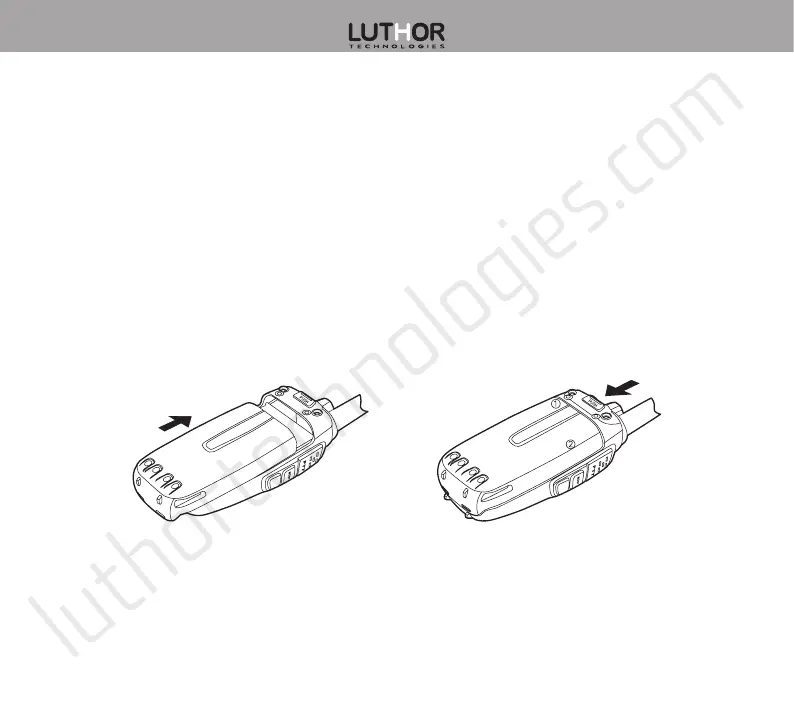
1. Line up the battery slots with the guide situated on the aluminium case, making sure that
both are in contact and aligned, slide the battery towards the upper transceiver’s part until
the battery fastening button locks it. (Figure 1)
2. To remove the battery, please, make sure the radio is powered off, and making sure the
battery and the radio are separated, press the battery fastening button, and slide the
battery towards the lower transceiver’s part. (Figure 2)
Figure 1 Figure 2


 To Next Page