EasyManua.ls Logo

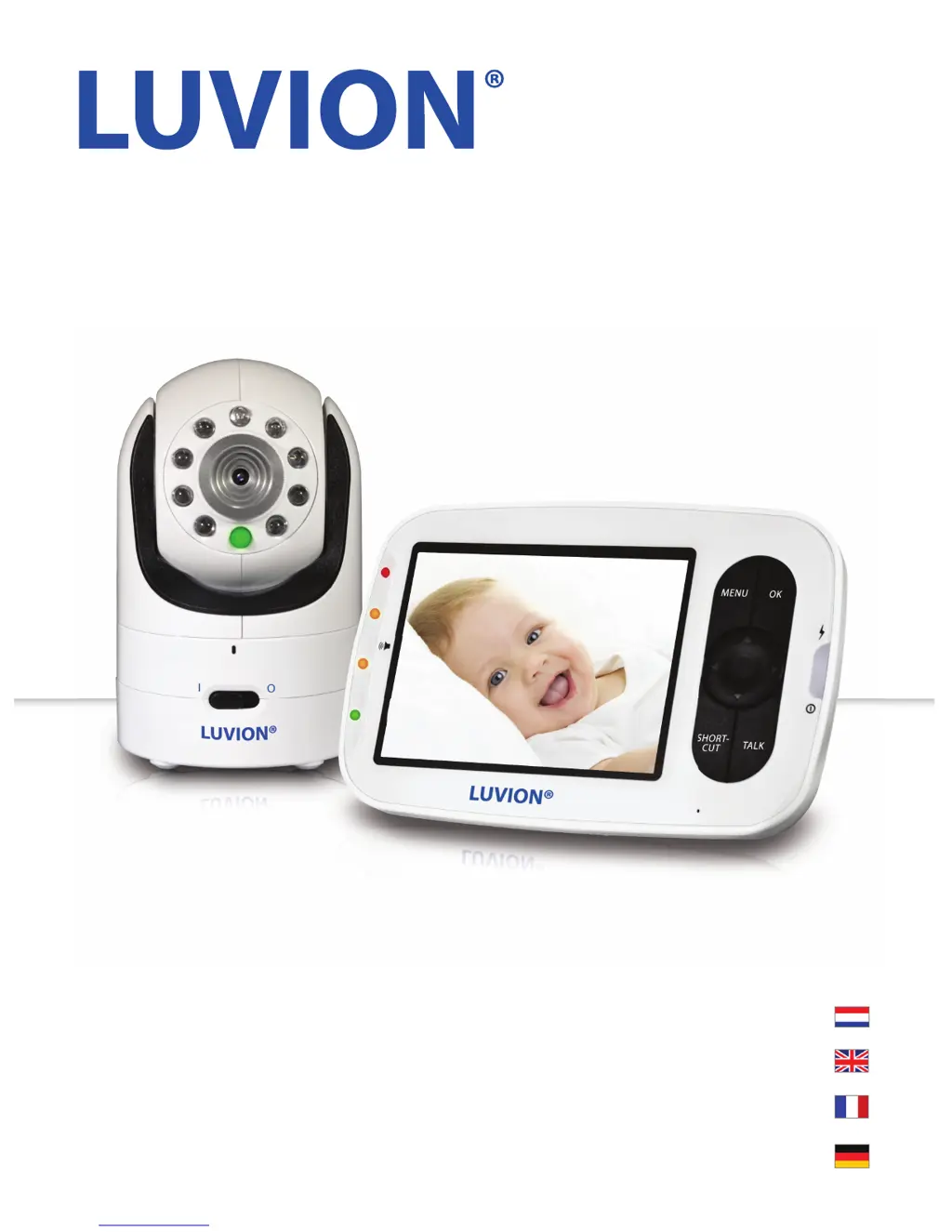
Luvion Grand Elite 2 - User Manual

Luvion Grand Elite 2
86 pages
Print Icon
To Next Page IconTo Next Page
Loading...
GRAND ELITE 2
MANUEL D’INSTRUCTIONS
HANDLEIDING
INSTRUCTION MANUAL
BENUTZERHANDBUCH

Table of Contents

Questions and Answers

  • J
    John CamachoAug 17, 2025
    What to do if Luvion Grand Elite 2 pairing failed?
    • R
      rfrazierAug 17, 2025
      If pairing failed on your Luvion Baby Monitor, ensure that the power adapter is connected to the camera unit. Confirm that the camera unit is turned on (the power LED indicator shows a green light). Try pairing to another CAM channel.
  • A
    Angelica EdwardsAug 20, 2025
    How to fix a Luvion Grand Elite 2 that won't turn on?
    • E
      Erin JonesAug 20, 2025
      If your Luvion Baby Monitor doesn't switch on, the battery may be depleted. Try recharging or replacing the battery. Also, confirm that the power adapters are properly connected.
  • C
    Chad BoyerAug 22, 2025
    What to do if my Luvion Baby Monitor camera has no picture?
    • A
      Austin RodriguezAug 22, 2025
      If you're getting no picture from the camera unit of your Luvion Baby Monitor, check all connections to the camera and confirm the adapter is plugged in. Try recharging or replacing the battery pack. Make sure all cameras and monitors are turned on. Ensure the camera unit is within range of the monitor, and that the camera and monitor unit are paired. Finally, adjust the monitor antenna to a vertical position.
  • B
    Brianna HuffmanAug 25, 2025
    Why does my Luvion Baby Monitor have static interference?
    • D
      Dawn HerreraAug 26, 2025
      Reception interference (static) on your Luvion Baby Monitor can occur for several reasons. The camera and monitor unit may be too far apart. The battery power may be too low. Other electronic devices, such as wireless networks (WiFi routers), Bluetooth systems, or microwave ovens, may be interfering with the signal. Keep the Camera and Monitor Unit at least 5ft (1.5m) away from these items, or turn them off if they appear to cause interference. The Camera or Monitor Unit may be in close proximity to large metallic objects causing interference.
  • S
    Sherri JohnstonAug 30, 2025
    How to reduce noise interference on Luvion Baby Monitor?
    • R
      Rachael ShieldsAug 30, 2025
      To reduce noise interference on your Luvion Baby Monitor, lower the volume if it is set too high on the monitor unit. Move the camera and monitor units further apart if they are too close. If the camera unit is too far away and out of range, move it closer to the monitor unit. Also, make sure the camera and monitor units are placed away from other electrical equipment, such as a television, computer, or cordless/mobile telephone.
  • S
    sharonsimmonsSep 1, 2025
    Why is my Luvion Grand Elite 2 Baby Monitor making static or beeping noises?
    • M
      Michael LeeSep 1, 2025
      If your Luvion Baby Monitor is making static or beeping noises, the battery power may be too low. Recharge or replace the battery. It could also be a possible alarm ring alert or a possible out of signal alert.
  • B
    bradleyedwardSep 4, 2025
    How to fix choppy video on Luvion Grand Elite 2 Baby Monitor?
    • S
      sonyahamiltonSep 4, 2025
      If the picture playback on your Luvion Baby Monitor is not smooth (choppy video with low frame rate), try moving the camera unit closer to the monitor unit. Remove any obstructions between the camera and monitor unit. Adjust the monitor antenna to a vertical position. Also, keep the camera and monitor unit at least 5ft (1.5m) away from other 2.4GHz products, such as wireless networks (WiFi routers), Bluetooth systems, or microwave ovens, or turn them off if they appear to cause interference.
  • J
    Jeffrey WilliamsSep 6, 2025
    What to do if Luvion Baby Monitor battery won't charge?
    • P
      pjonesSep 6, 2025
      If the rechargeable battery of your Luvion Baby Monitor will not charge or there is no charge light, reconnect the wire tab of the battery if the battery pack may not be properly connected inside the battery compartment. Try using the other USB Power Cable included. If using a USB Output Adapter, switch to another electrical outlet; if using computer/laptop USB power, try another USB power source, as there may be no power from the USB outlet.
  • A
    Anita CampbellSep 9, 2025
    How to fix no sound on Luvion Grand Elite 2 Baby Monitor?
    • Z
      Zachary WashingtonSep 9, 2025
      If there is no sound from the monitor unit of your Luvion Baby Monitor, adjust the volume to a higher setting, as the volume setting may be too low.
  • M
    michelepattersonSep 12, 2025
    Why is my Luvion Grand Elite 2 picture black and white?
    • I
      Isaac MunozSep 12, 2025
      If the picture on your Luvion Baby Monitor is black and white, turn on the room lights to force the monitor out of night vision mode, as the night vision LED may be on.

Summary

Quick Guide

Monitor Operation

Monitor Button Functions

Details the functions of the monitor unit's buttons like Power, Menu, Navigation, Talk, and Shortcut.

Safety Instructions

Hazard Warnings

Covers critical safety warnings including strangulation, choking, electric shock, and battery precautions.

Getting Started

Powering the Camera Unit

Instructions on connecting the power adapter to the camera unit and powering it on.

Wall Mounting the Camera Unit

Step-by-step guide for securely mounting the camera unit to a wall.

Initial Setup and Charging

Monitor Unit Battery Installation

Guidance on inserting the rechargeable Li-ion battery into the monitor unit.

Charging and Powering the Monitor

Steps for charging the monitor unit and powering it on for the first time.

Camera Pairing

Camera Unit Registration

Procedure for registering a new camera unit or re-registering an existing one.

Using the Grand Elite 2 Monitor

Monitor Features

Camera Control

Add or Pair a Camera

Procedure for pairing a new camera unit with the monitor.

Lens Care and Troubleshooting

Troubleshooting Guide

Guidance for resolving common problems like no power or reception interference.

Luvion Grand Elite 2 Specifications

General IconGeneral
Camera Resolution720p
Night VisionYes
Two-Way CommunicationYes
Temperature SensorYes
Range300 meters
TypeDigital
WirelessYes
Sound ActivationYes
Display Size3.5 inch
Battery Life10 hours
Power SourceRechargeable battery

Related product manuals