EasyManua.ls Logo

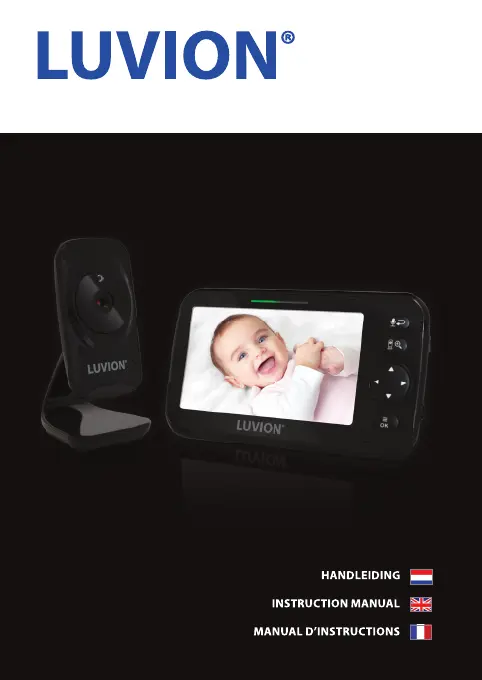
Luvion ICON DELUXE - User Manual

Luvion ICON DELUXE
25 pages
Go to English
Print Icon
To Next Page IconTo Next Page
Loading...
ICON DELUXE

Questions and Answers

  • M
    Michael HillJul 28, 2025
    How to fix a Luvion ICON DELUXE that freezes?
    • W
      Wendy RodriguezJul 28, 2025
      If your Luvion Baby Monitor freezes, the image freezes, or the monitor stops responding, first, remove the adapter from the monitor and then replace it. If that doesn't work, press the reset button located on the back of the monitor.
  • J
    josephwilliamsAug 5, 2025
    What to do if my Luvion ICON DELUXE Baby Monitor has poor range or the image freezes?
    • M
      Mr. Robert HallAug 5, 2025
      If you're experiencing poor range, interference, a frozen image, or poor resolution with your Luvion Baby Monitor, try moving the monitor closer to the camera. Another solution is to reduce the number of walls, floors, or doors between the camera and the monitor to improve the signal.
  • J
    josephgordonAug 13, 2025
    What to do if I have audio problems with my Luvion ICON DELUXE Baby Monitor?
    • S
      shawmadisonAug 13, 2025
      If you are experiencing audio problems with your Luvion Baby Monitor, try increasing the distance between the monitor and the camera. Alternatively, decrease the monitor's volume by pressing the down button. Also, make sure the volume isn't turned off; you can increase it by pressing the up button.
  • C
    Connie HolderAug 19, 2025
    How to fix no reception on Luvion ICON DELUXE?
    • E
      ewrightAug 19, 2025
      If there is no reception on your Luvion Baby Monitor, try pairing the monitor with the camera again.

Summary

Introduction and Safety

Safety Instructions

Provides critical warnings and guidelines for safe product operation and handling.

Setup and Usage Guide

Monitor Setup and Operation

Guides on powering, adjusting display, volume, brightness, and using functions like zoom.

Troubleshooting and Maintenance

Troubleshooting Common Issues

Solutions for problems like no reception, poor image, audio issues, and battery life.

Safety Regulations and Disposal

Cable Safety Regulations

Rules to prevent injury from baby monitor cables and adapters.

General Safety Precautions

Important safety advice covering heat, wires, small parts, and usage environment.

Luvion ICON DELUXE Specifications

General IconGeneral
CameraYes
RangeUp to 300 meters
Two-way communicationYes
Temperature sensorYes
Battery lifeUp to 10 hours
Talk-back functionYes
Adjustable volumeYes
Adjustable brightnessYes
LullabiesYes
Power Source (parent unit)Rechargeable battery
Power Source (camera unit)AC adapter
ExpandableUp to 4 cameras
TypeVideo baby monitor

Related product manuals