EasyManua.ls Logo

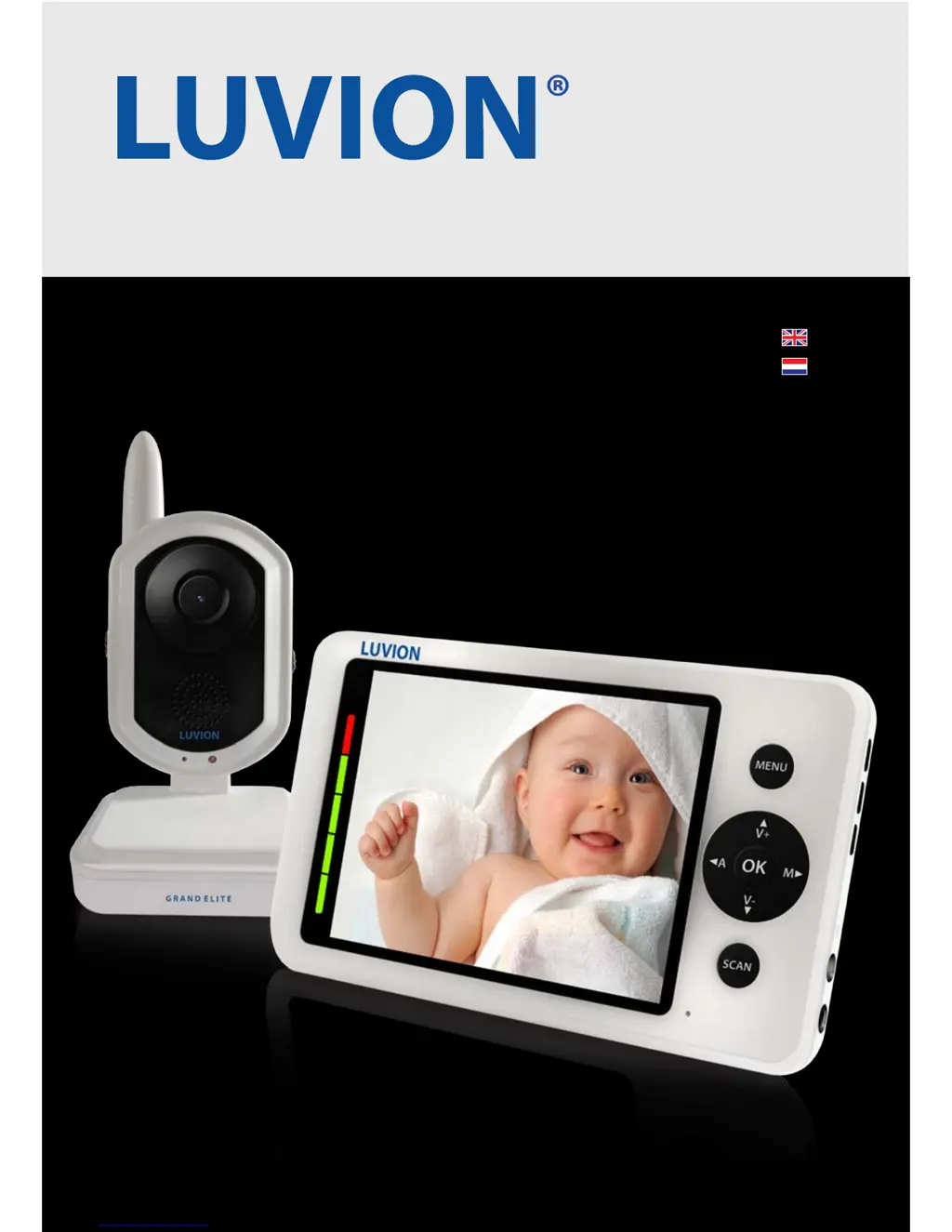
Luvion Grand Elite - User Manual

Luvion Grand Elite
37 pages
Print Icon
To Next Page IconTo Next Page
Loading...
1
LUVION Premium Babyproducts
MOD-
EL: Grand
Elite
GRAND ELITE
INSTRUCTION MANUAL
HANDLEIDING

Questions and Answers

  • R
    Ryan LawsonAug 18, 2025
    Why is there no video from my Luvion Grand Elite Baby Monitor?
    • M
      mitchellchristianAug 18, 2025
      If you're not getting any video from the baby unit of your Luvion Baby Monitor, here are a few things to check: 1. Ensure all connections to the baby unit are secure and that the power adapter is properly plugged in. 2. Verify that both the baby and parent units are switched on. 3. Confirm that the baby unit is within the operational range of the parent unit. 4. If you're using batteries, try replacing them with fresh ones.
  • M
    Mrs. Diane BeckerAug 21, 2025
    What to do if the Luvion Grand Elite video is dropping?
    • E
      Emily MillerAug 21, 2025
      If the video signal on your Luvion Baby Monitor keeps dropping, try these solutions: 1. Move the baby unit closer to the parent unit to improve signal strength. 2. Adjust the position of both the baby and parent units to optimize reception. 3. Ensure the antenna of the parent unit is in a vertical position.
  • J
    joel35Aug 23, 2025
    Why is my Luvion Grand Elite video choppy?
    • C
      cbarrettAug 23, 2025
      Choppy video on your Luvion Baby Monitor can occur when the frame rate decreases. Here's how to address it: 1. Try moving the baby unit closer to the parent unit to improve the connection. 2. Remove any obstructions that might be interfering with the signal between the baby and parent units. 3. Make sure the antenna of the parent unit is positioned vertically.
  • A
    Adam HumphreyAug 26, 2025
    What to do if my Luvion Baby Monitor has audio problems?
    • D
      Dr. Jodi HillAug 26, 2025
      If you're experiencing audio issues with your Luvion Baby Monitor, consider the following: 1. Check that the volume on your TV or viewing device is turned on. 2. Ensure that there is sound within range of the baby unit's microphone. 3. If you hear a loud screeching noise, move the baby and parent units further apart to reduce interference.
  • T
    Tracy MorseAug 28, 2025
    Why does the video on my Luvion Grand Elite Baby Monitor appear grainy on a large screen TV?
    • P
      piercelauraAug 28, 2025
      The AV output function on your Luvion Baby Monitor is primarily for convenience. When using a large screen TV or monitor, the video may appear grainy because the camera's video resolution is limited to VGA (640 x 480 pixels). This is not a product defect. 1. For the best video quality, use the PIP (Picture in Picture) function of your TV or monitor. Check your TV or monitor product manual to see if this feature is available. 2. Alternatively, view the video on a smaller screen TV or monitor.
  • D
    Deborah ObrienAug 31, 2025
    What to do if my Luvion Grand Elite Baby Monitor has no video?
    • A
      Andre NorrisAug 31, 2025
      If you're not getting any video from the baby unit of your Luvion Baby Monitor, make sure the power adapter is properly plugged in and that both the baby and parent units are switched on. Also, ensure the baby unit is within range of the parent unit. If you're using batteries, try replacing them.
  • S
    Shelby ButlerSep 2, 2025
    Why does my Luvion Grand Elite say 'Out of Range'?
    • V
      Vanessa GilbertSep 2, 2025
      If your Luvion Baby Monitor parent unit displays 'Out of Range', first ensure that the baby unit is switched on and is within the operational range of the parent unit. If both are true, try pairing the baby unit with the parent unit again.
  • M
    Mary GeorgeSep 5, 2025
    Why is the video dropping on my Luvion Grand Elite Baby Monitor?
    • R
      ronald65Sep 5, 2025
      If the video is dropping on your Luvion Baby Monitor, try moving the baby unit closer to the parent unit. Also, try repositioning both units to improve reception and place the antenna of the parent unit in a vertical position.
  • C
    Curtis Hayes Jr.Sep 7, 2025
    What to do if Luvion Baby Monitor video is choppy?
    • C
      Carrie PonceSep 7, 2025
      If the video on your Luvion Baby Monitor is choppy, it might be due to a lower frame rate. Try moving the baby unit closer to the parent unit. Also, remove any obstructions between the baby and parent units, and ensure the antenna of the parent unit is in a vertical position.
  • C
    Christine CoxSep 10, 2025
    Why is the video grainy on my Luvion Grand Elite Baby Monitor when using AV out?
    • T
      Todd AvilaSep 10, 2025
      The video might appear grainy when using the AV output on a large screen TV or monitor because the camera limits the video resolution to VGA (640 x 480 pixels). For the best video quality, use the PIP (Picture in Picture) function of your TV or monitor. Alternatively, view the video on a smaller screen TV or monitor.

Summary

Safety Instructions

General Safety Precautions

Essential safety guidelines for using the baby monitor, including handling small parts and environmental conditions.

Getting Started

Parent Unit Setup

Steps for unpacking, positioning, and charging the parent unit.

Baby Unit Setup

Guidance on positioning the baby unit and verifying reception.

Using the System

Out of Range Warning

Alerts when the baby unit is too far from the parent unit.

Menu Options

Main Menu Overview

Introduces the main menu and its four primary functions: Settings, Record, Auto Mute, Pairing.

Settings Menu Details

Lists the ten available submenus within the Settings option for configuration.

Record Menu Configuration

Setting video quality, schedule, and overwrite options for recording.

Auto Mute and Pairing

Configuring sound detection and pairing additional baby units.

Baby Unit Pairing

Micro SD Card Recording and Playing

Troubleshooting

No video from baby unit

Solutions for when no video feed is received.

Parent unit displays Out of Range

Troubleshooting steps for out-of-range warnings.

Technical Specifications

Luvion Grand Elite Specifications

General IconGeneral
Display Size3.5 inches
CameraYes
Night VisionYes
Two-way CommunicationYes
Range300 meters
ExpandableUp to 4 cameras
TypeDigital
Temperature MonitoringYes
LullabiesYes
VOX functionYes
Power SourceRechargeable battery

Related product manuals