EasyManua.ls Logo

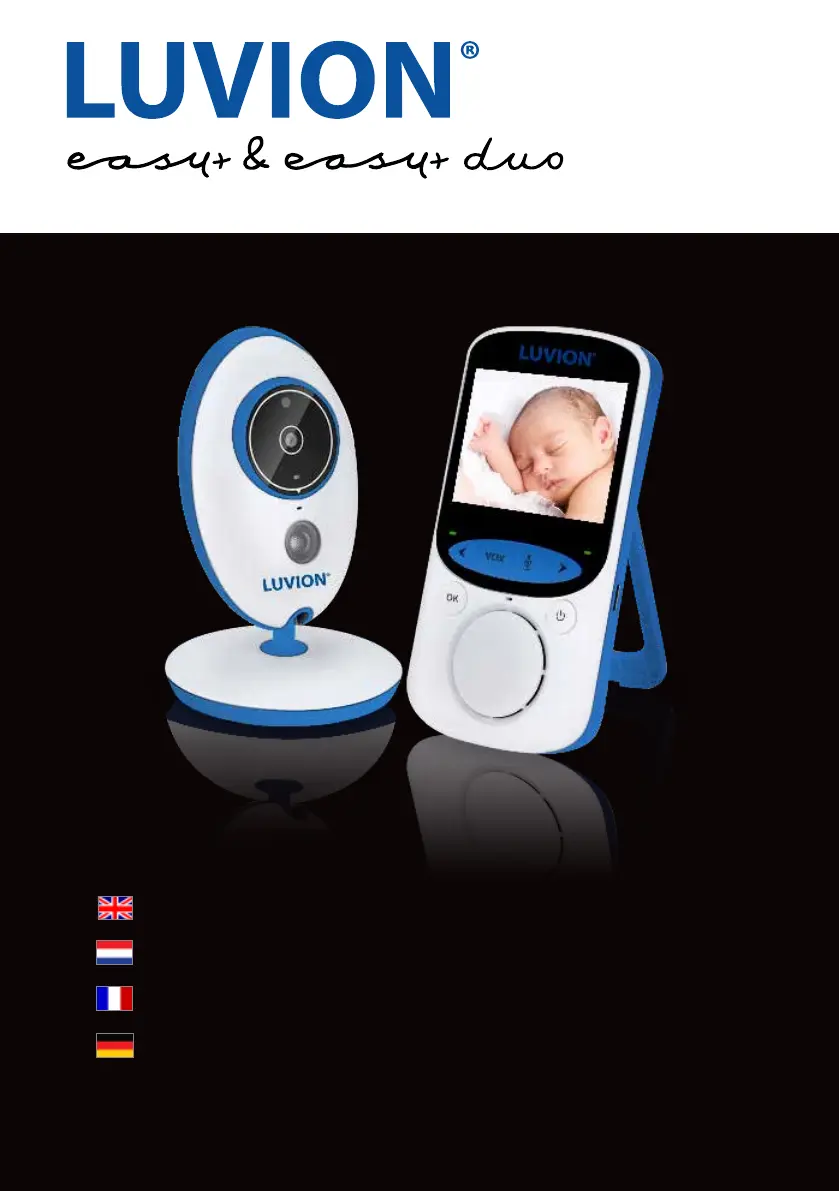
Luvion easy+ - User Manual

Luvion easy+
66 pages
Print Icon
To Next Page IconTo Next Page
Loading...
1
LUVION Premium Baby products
INSTRUCTION MANUAL
HANDLEIDING
MANUAL D’INSTRUCTIONS
BENUTZERHANDBUCH

Questions and Answers

  • D
    Darren WilliamsJul 28, 2025
    How to fix Luvion Baby Monitor when there is no video?
    • J
      John MerrittJul 28, 2025
      If you're not getting any video from the Luvion Baby Monitor's baby unit, first, check that the baby unit's power adapter is properly plugged in. Ensure that the parent unit is switched on and is within range of the baby unit. Also, verify that the parent unit isn't in VOX mode by pressing the VOX button. Finally, make sure the monitor isn’t in powersave mode by pressing any button.
  • G
    gsweeneyAug 3, 2025
    What to do if Luvion easy+ Baby Monitor video keeps dropping?
    • T
      Tina AustinAug 3, 2025
      If the video on your Luvion Baby Monitor is constantly dropping, you have low reception, or you're seeing a “Buiten Bereik” message, try these steps: * Move the baby unit closer to the parent unit. * Reposition both units, keeping them away from walls, to improve reception. * Repair the parent unit with the baby unit, following the instructions in the pairing chapter.
  • K
    kimberly52Aug 9, 2025
    How to troubleshoot audio problems on Luvion easy+?
    • S
      Samantha HendersonAug 9, 2025
      If you are experiencing audio problems with your Luvion Baby Monitor: * First, ensure that the volume on the parent unit isn't muted. Increase the volume using the volume button. * Next, check that there is sound within range of the baby unit's microphone. * If you hear a loud, screeching noise, move the baby and parent units further apart.
  • J
    Joshua LopezAug 14, 2025
    Why is the video choppy on my Luvion easy+ Baby Monitor?
    • C
      Cole EstradaAug 14, 2025
      If the video on your Luvion Baby Monitor is choppy, it might be due to a lower frame rate. To resolve this, try moving the baby unit closer to the parent unit. Also, remove any obstructions that might be between the baby and parent units.
  • C
    Candice YatesAug 21, 2025
    How to extend battery life of Luvion Baby Monitor?
    • J
      Jacqueline YoderAug 21, 2025
      To extend the battery life of your Luvion Baby Monitor parent unit, use the VOX mode.

Summary

Introduction

Safety Instructions

Essential safety guidelines for using the Luvion baby monitor and its components to ensure safe operation.

Parent Unit Overview

Baby Unit Overview

Getting Started

Installing the Parent Unit

Instructions for unpacking and charging the parent unit before first use.

Installing the Baby Unit

Guidance on planning the placement and connecting the baby unit to the power grid.

Connection and Range Tips

Optimizing Wireless Connection

Tips for ensuring sufficient wireless connection by verifying placement and minimizing obstructions.

Using the System

Understanding Parent Unit Display

Explanation of signal, temperature, switch, VOX, battery, and talk indicators on the parent unit screen.

Navigating the Menu

Settings Configuration

Advanced Settings

Pairing Guide

Pairing Procedure Details

Troubleshooting

Common Issues and Solutions

Guidance on resolving common problems like no video, poor reception, audio issues, and battery life.

Luvion easy+ Specifications

General IconGeneral
Night VisionYes
Two-Way CommunicationYes
Temperature SensorYes
Power SourceRechargeable battery
Number of Cameras1
ExpandableNo
TypeDigital
Display Size2.4 inches
Range250 meters
Sound ActivationYes

Related product manuals