13
LUVION Premium Baby products
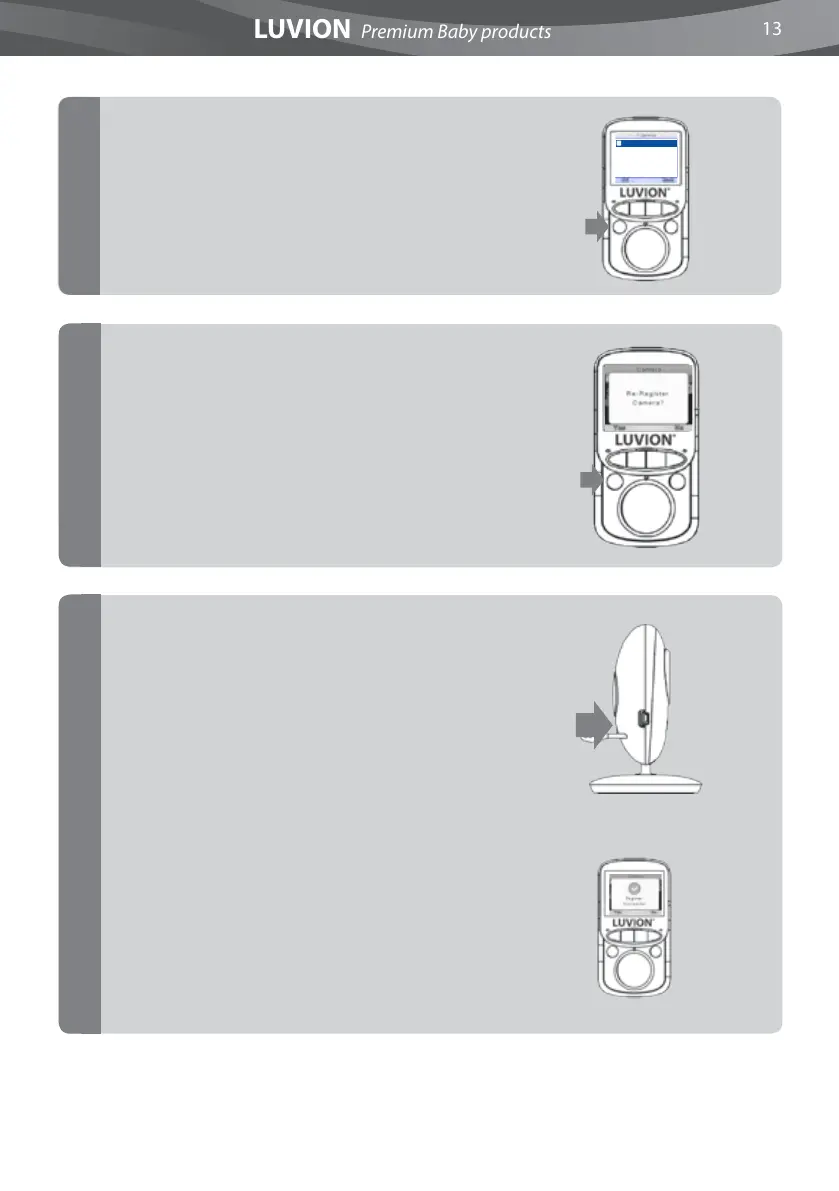
The screen will display “Please press the Pair
key on your baby unit.”
Within 10 seconds, briey press the baby unit
(camera) pair button to pair the baby unit
(camera) to the parent unit (monitor) .
If pairing was succesful, the screen will display
the message “Register Succesful!”
Select the desired camera (1 or 2) and press OK
button to pair the Camera
The screen will display “Re-Register the
Camera?”
Press OK to conrm.
7
5
6
1
Camera Register













 To Next Page