12
PAIRING
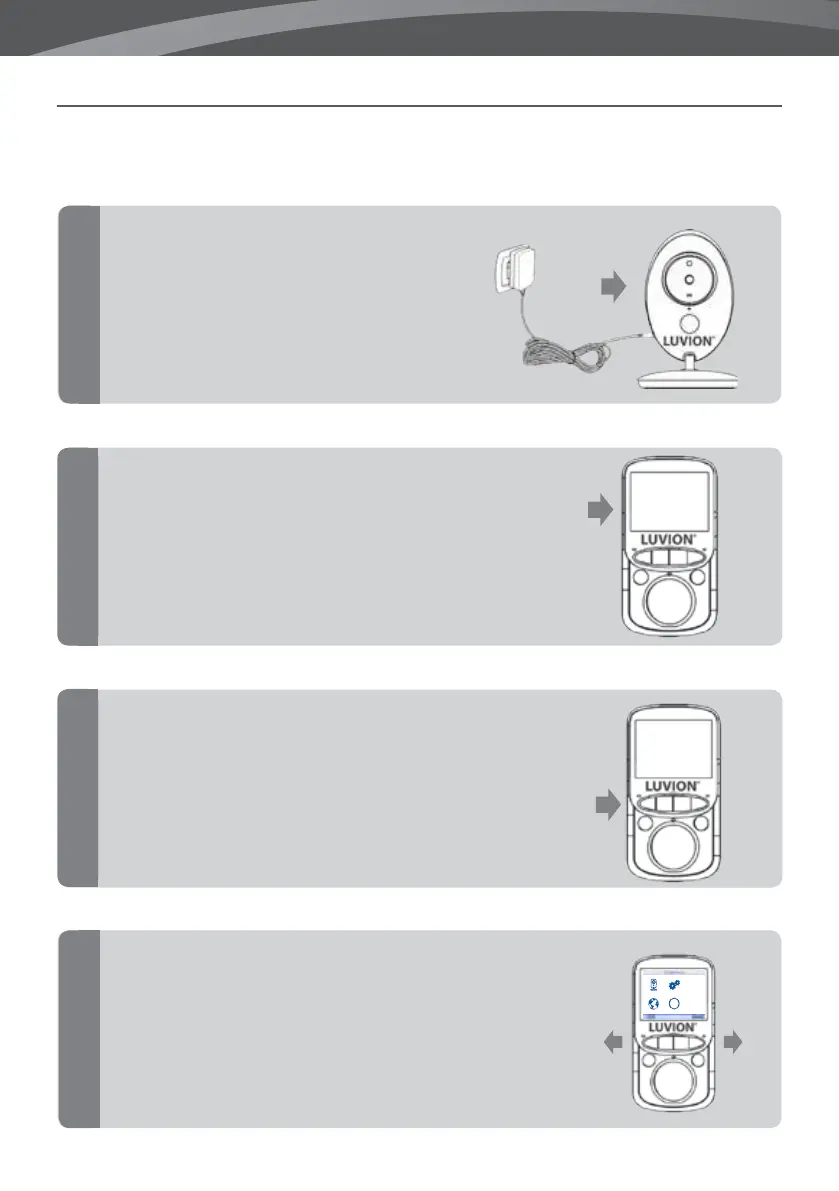
Use the Pairing function to connect a baby unit (camera) to the parent unit (monitor).
Plug the charger into the wall
socket and connect to the
camera, to power on the camera.
Hold the power button on the monitor to
switch on the monitor.
Press the OK button to open the main
menu.
Use the right and left arrow buttons to
select the Camera menu.
Press the OK button to open the Camera
menu.
1
2
3
4
i
VOX













 To Next Page