6
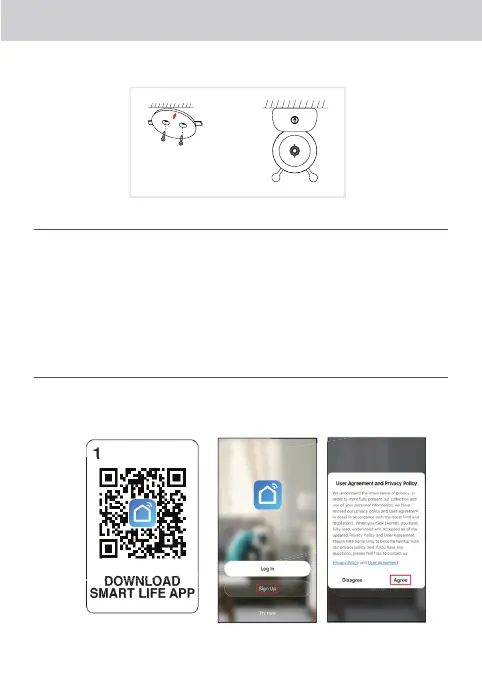
Option 2 Or, use the included mounting bracket to x the camera to a smooth, solid surface.
SET UP/CAMERA INSTALLATION
1. Plug the included USB cable into the Luvion Smart Optics Camera.
2. After the USB cable has been plugged into the included power adapter, insert the power
adapter into a wall socket.
3. The status indicator will light up in red and ashes two times per second. Go to step 5.
If you see a constant red light, go to step 4
4. Hold the reset button for 6 seconds until the status indicator starts to ash again.
Go to step 3.
5. Connect the camera with the app.
CONNECTING WITH THE APP
Step 1 Search and download the ‘Smart Life App’ in Apple Store/Google Play Store or scan the
QR code to download the app. Open the Smart Life app and Sign Up before use.












 To Next Page