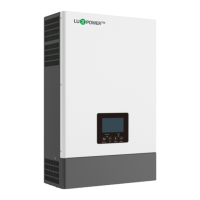
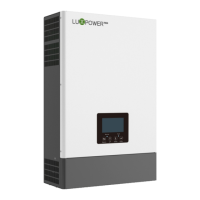
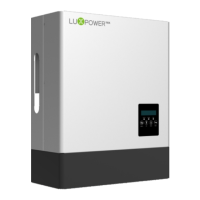
What to do if my Lux Power Technology Inverter's heat sink temperature is too high?
M
Michael SheltonAug 16, 2025
If the heat sink temperature is too high, ensure the inverter is installed in a well-ventilated area, away from direct sunlight. Also, check if the NTC connector inside the inverter is loose. If the installation site is adequate, check the NTC connector.
J
Julie SanchezAug 18, 2025
What to do if my Lux Power Technology Inverter detects a short circuit on PV input?
K
Kathleen DuncanAug 18, 2025
If a short circuit is detected on the PV input, disconnect all PV strings from the inverter. If the error persists after disconnecting the strings, it's recommended to contact Luxpower service or your inverter supplier.
Z
zoe03Aug 21, 2025
What to do if my Lux Power Technology Inverter detects a short-circuit on EPS output terminals?
Z
zacharysalazarAug 21, 2025
If the inverter detects a short-circuit on the EPS output terminals, disconnect the EPS breaker to see if the fault remains. If the fault persists after disconnecting the breaker, it is recommended to contact Luxpower service or your inverter supplier.
P
Perry LarsenAug 25, 2025
What to do if my Lux Power Technology Inverter's DC Bus voltage is too high?
A
Anna ChoiAug 25, 2025
If the DC Bus voltage is too high, verify that the PV string voltage is within the inverter's specified limits. If the string voltage is within the correct range and the fault continues, contact Luxpower service or your inverter supplier.
O
obarnettAug 27, 2025
What to do if my Lux Power Technology Inverter triggers hardware level over current protection?
V
vmurphyAug 27, 2025
If the hardware level over current protection is triggered, restart the inverter. If the error persists after restarting, it's recommended to contact Luxpower service or your inverter supplier.
B
Brian ManningAug 31, 2025
What to do if my Lux Power Technology Inverter shows an incorrect model value?
M
Misty MartinezAug 31, 2025
If the inverter displays an incorrect model value, check that the L1, L2, and N wires are correctly connected at the inverter's EPS output port.
N
Nicholas HinesSep 2, 2025
What to do if my Lux Power Technology Inverter displays voltage between N and PE greater than 30V?
W
williamsbriannaSep 2, 2025
If the voltage between N and PE is greater than 30V, check if the neutral wire is connected correctly.
F
fcaldwellSep 5, 2025
What to do if the EPS port and grid port are connected mixed up in Lux Power Technology Inverter?
H
hoffmancarlaSep 5, 2025
If the EPS port and grid port are connected mixed up, check if the wires on the EPS port and grid port are connected correctly. If the error persists, contact Luxpower service or your inverter supplier.
J
Joshua MarquezSep 9, 2025
What to do if my Lux Power Technology Inverter's DC Bus is short circuited?
S
samuelbradfordSep 9, 2025
If the DC Bus is short-circuited, restart the inverter. If the error persists after restarting, it's recommended to contact Luxpower service or your inverter supplier.
C
Crystal HernandezSep 12, 2025
What to do if the M3 microprocessor fails to receive data from DSP in Lux Power Technology Inverter?
Z
zortegaSep 12, 2025
If the M3 microprocessor fails to receive data from the DSP, restart the inverter. If the error persists after restarting, it's recommended to contact Luxpower service or your inverter supplier.


 To Next Page
 General