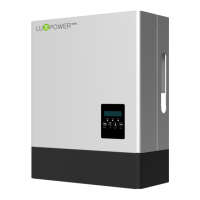
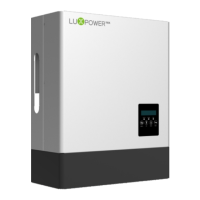
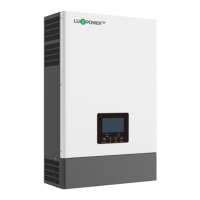
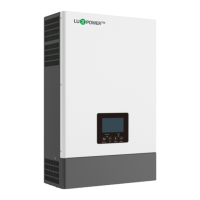
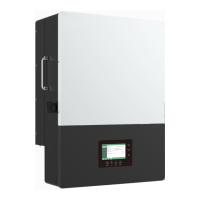
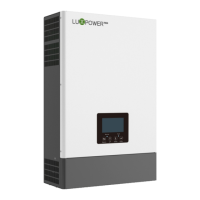
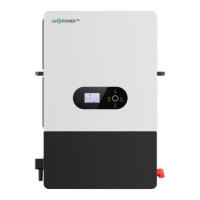
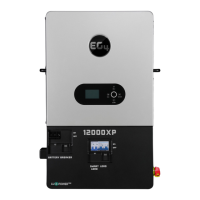
The Luxpower LXP Hybrid Inverter is a versatile energy storage solution designed for various solar and energy management applications. It functions as a central component in systems ranging from solar and energy storage hybrids to off-grid backup power setups, and even parallel systems for larger energy demands. The inverter's primary function is to manage the flow of energy between solar panels, batteries, the utility grid, and household loads, optimizing energy usage and ensuring continuous power supply.
Function Description:
The LXP Hybrid Inverter operates as a sophisticated energy management unit. In a solar and energy storage hybrid system, it prioritizes the use of PV energy for local loads, then stores excess energy in batteries, and finally feeds any remaining surplus back into the grid. This "self-usage" mode is the default, aiming to maximize self-consumption and reduce electricity bills. For users who prioritize battery charging, the inverter can be configured to direct PV energy to the battery first, then to loads, before feeding into the grid. This "charge priority" mode is beneficial when load shedding is a concern or when maximizing battery storage is desired.
The inverter also supports "force time use" mode, allowing users to set specific charging and discharging times and energy usage priorities. This mode is ideal for leveraging time-of-use electricity tariffs, where energy prices vary throughout the day. In off-grid applications, the inverter can operate in "micro-grid mode," where it can integrate with a generator. When battery SOC is low, the inverter can automatically start the generator to power loads and charge the battery, ensuring continuous operation in areas without a stable grid. For pure off-grid scenarios, the inverter switches to "off-grid mode" automatically when no grid connection is detected, utilizing stored battery energy and PV power to supply loads.
The LXP Hybrid Inverter is designed to work with various battery types, including Lithium-ion and Lead-Acid batteries, and supports communication with Battery Management Systems (BMS) for optimal performance and safety. It also features a parallel system capability, allowing multiple inverters to operate together for increased power output, suitable for both single-phase and three-phase configurations. This parallel functionality is crucial for scaling up energy systems to meet higher demand.
Safety is a paramount concern, and the inverter includes multiple protection features such as reverse polarity protection, over current/voltage protection, anti-islanding protection, AC short-circuit protection, leakage current protection, and ground fault monitoring. It also has an integrated DC switch for safe PV disconnection.
Usage Features:
The LXP Hybrid Inverter offers a user-friendly interface for monitoring and configuration. The LCD display provides real-time information on system status, measured parameters (PV, battery, grid, UPS info), and historical data (energy records, error records, alarm records). Users can navigate through the menu structure using UP, DOWN, and ENTER buttons to search for specific information or adjust settings.
Key settings accessible via the LCD include:
- Communication Address Settings: Allows configuration of the RS485 communication address for multi-inverter setups.
- Language Setting: Supports multiple languages for user convenience.
- Time Settings: Enables setting the system's date and time.
- PV Input Settings: Configures PV input parameters, including options for "No PV Input," "Two PV Separate," "Two PV Parallel," or "Only PVx Input," to match the actual PV system configuration.
- UPS Settings: Allows enabling or disabling UPS mode, setting UPS voltage and frequency.
- AC Charge Settings: Configures AC charge function, including maximum charge power and SOC, and setting specific start and end times for AC charging.
- Feed-in Grid Settings: Enables or disables energy export to the grid and allows setting the power percentage that can be fed into the grid.
- EOD Settings: Sets the "End of Discharge" battery level, which is important for managing battery life and ensuring backup power availability during load shedding.
- CT or Meter Setting: Configures whether the system uses a CT clamp or a meter for grid monitoring, and allows setting the CT clamp ratio.
- Micro-Grid Setting: Enables the micro-grid function when a generator is connected to the inverter's AC terminal, allowing the inverter to use the generator for battery charging and load supply without exporting power to the AC terminal.
- Parasys Role Setting: For parallel systems, users can set each inverter as a "Slave," "3 Phase Master," or "1 Phase Master."
- Parasys Phase Setting: In three-phase parallel systems, users can set the phase output for each inverter (R, S, or T phase).
For remote monitoring and control, the inverter supports Wi-Fi or 4G dongle connections, allowing users to access system data and settings via a dedicated web portal or mobile application (available on Google Play and Apple App Store). This remote access facilitates convenient management and troubleshooting.
Maintenance Features:
The LXP Hybrid Inverter is designed for ease of maintenance, with clear indicators and guidelines for troubleshooting.
- LED Displays: The inverter features LED indicators (Green, Yellow, Red) that provide immediate visual cues about its operational status. A long green light indicates normal operation, flashing yellow signifies firmware upgrading, a long yellow light indicates a warning, and a long red light signals a fault requiring attention.
- LCD Displays for Troubleshooting: In the event of a fault or warning, the LCD displays specific error codes and short descriptions, guiding the operator to identify and resolve the issue. The manual provides a comprehensive list of error codes (e.g., E000 for internal communication fault, E009 for master loss in parallel systems, W004 for battery failure) along with corresponding suggestions for troubleshooting, such as restarting the inverter, checking connections, or contacting support.
- Regular Maintenance Schedule: The manual recommends a structured maintenance schedule for the inverter and its components:
- Inverter Maintenance (every 6 months or 1 year):
- Verify the absence of damage to cables, accessories, terminals, and the inverter itself.
- Confirm normal operating parameters and check for abnormal heating or noise.
- Ensure the inverter's heat sink is clear of obstructions; if not, shut down the inverter and clean it.
- Battery Maintenance: Follow the original manufacturer's maintenance requirements for the specific battery type. It is crucial to fully shut down the inverter for safety before performing any work on the batteries.
The inverter's protective shell is designed to be reinstalled after all connections are made and grounding is complete, ensuring the device's IP65 rating for outdoor and indoor conditions. The design emphasizes durability and protection against environmental factors like direct sunlight, rain, and snow, recommending installation in shaded areas or with additional protective covers.



 To Next Page
 General