EasyManua.ls Logo

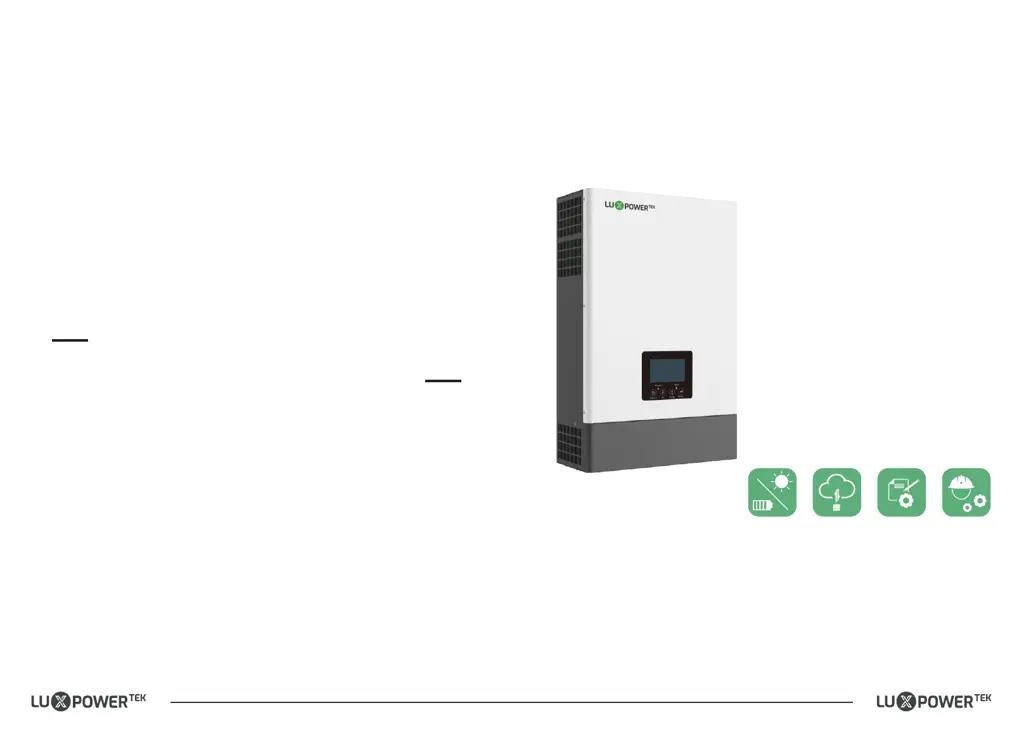
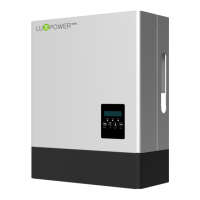
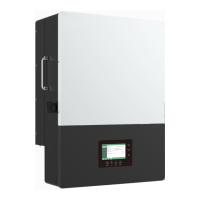
Lux Power Technology SNA5000WPV - User Manual

Lux Power Technology SNA5000WPV
20 pages
Print Icon
To Next Page IconTo Next Page
Loading...
USER MANUAL
Version: SNA-EN-UM-1.0-05
ECO Hybrid Inverter
SNA3000 WPV
SNA4000 WPV
SNA5000 WPV
www.luxpowertek.com
info@luxpowertek.com
LUX POWER TECHNOLOGY CO., LTD
Where sun shined
Power always on
Monitor APP Download
Android
IOS
SN:092.0004904

Questions and Answers

  • E
    Eric AndersonAug 5, 2025
    What to do if my Lux Power Technology SNA5000WPV Inverter shows 'Battery voltage low'?
    • L
      Lee KimAug 5, 2025
      If your Lux Power Technology Inverter shows a 'Battery voltage low' error, check if the battery voltage is within the normal range. If it is low, you may need to charge the battery.
  • L
    Lisa DavisAug 10, 2025
    How to fix communication failure with battery on Lux Power Technology SNA5000WPV?
    • T
      Terry SkinnerAug 10, 2025
      If the Lux Power Technology Inverter displays 'Communication failure with battery', verify that you've selected the correct battery brand and that the communication cable is properly connected. If the warning persists, contact support.
  • J
    justin97Aug 15, 2025
    What does it mean when my Lux Power Technology Inverter says 'Temperature over range'?
    • A
      Amanda WeberAug 15, 2025
      If your Lux Power Technology Inverter displays 'Temperature over range', the internal temperature is too high. Turn off the inverter for 10 minutes, then restart it. If the error persists, contact support.
  • D
    Denise WilliamsAug 20, 2025
    How to resolve 'UPS output short circuit' on Lux Power Technology SNA5000WPV Inverter?
    • S
      Sarah GeorgeAug 20, 2025
      If your Lux Power Technology Inverter displays 'UPS output short circuit', check if the load has a short circuit. Try turning off the load and restarting the inverter.
  • M
    mspenceAug 25, 2025
    What to do if my Lux Power Technology SNA5000WPV Inverter has a software mismatch?
    • E
      Eric BrownAug 26, 2025
      If your Lux Power Technology Inverter displays 'Software mismatch', contact Luxpower for a firmware update.
  • J
    Jeffrey GillAug 30, 2025
    What to do if Lux Power Technology SNA5000WPV Inverter shows 'Battery failure'?
    • J
      Juan ManningAug 30, 2025
      If your Lux Power Technology Inverter displays 'Battery failure', the inverter is receiving fault information from the battery BMS. Try restarting the battery. If the warning persists, contact support or the battery manufacturer.

Summary

Brief Introduction

Features of the inverter

Overview of the inverter's features, including MPPT, power factor, and connectivity options.

Interface of the inverter

Details the LCD display, function buttons, and status indicators on the inverter.

Packing List

Lists all items included in the inverter package and storage guidelines.

Installation

Preparation

Outlines system connection diagrams and preparation steps for installation, including cable and breaker specifications.

Mounting the Unit

Provides instructions and guidelines for securely mounting the inverter unit on a wall.

Battery Power Cable Connection

Steps for connecting power cables for lead-acid batteries, including torque specs.

Lithium Battery Connection

Steps for connecting lithium batteries, including BMS compatibility and communication cables.

AC Input;Output Connection

Details the process for connecting AC input and output wires, emphasizing polarity and PE conductor.

PV Connection

Instructions for connecting PV module cables, ensuring correct polarity and secure connections.

Generator Connection

Steps for connecting the generator, including DC protector and terminal connections.

Dry Contact Signal control

Explains the use of dry and GEN ports for external signaling and generator control.

Parallel function

Guides on setting up a parallel system with multiple inverters, including cable connections.

Power and EPS ON;OFF

Explains the function of the power switch and EPS output switch for unit operation and emergency shutdown.

Working modes

ECO Hybrid inverter modes introduction

Introduces various working modes of the ECO Hybrid inverter with visual aids.

Working Modes related setting description

Provides detailed descriptions of working modes based on different AC and PV/battery load situations.

Export to Grid;Export Power percent

Details how to enable and configure export to the grid and export power percentage.

LCD Display and settings

LED Display

Explains the meaning of different LED indicators and their corresponding messages.

LCD Display

Details the different sections of the LCD display and the information they provide.

Inverter Status Display

Explains various inverter status displays, including normal, warning, and fault conditions.

LCD Settings

Provides a comprehensive guide on navigating and changing various settings via the LCD interface, covering date, time, PV input, battery, AC charge, and more.

Monitor System for ECO Hybrid inverter

Specifications

Table 1 Line Mode Specifications

Provides detailed line mode specifications for different inverter models.

Table 2 Inverter Mode Specifications

Provides detailed inverter mode specifications including rated output power and efficiency.

Table 3 Charge Mode Specifications

Details charge mode specifications for lead-acid batteries, including algorithms and voltages.

MPPT Solar Charging Mode

Specifies parameters for MPPT solar charging mode, including PV array limits and charging current.

Table 4 General Specifications

Lists general specifications such as safety certification, operating temperature, and dimensions.

Trouble Shooting & Error List

Lux Power Technology SNA5000WPV Specifications

General IconGeneral
BrandLux Power Technology
ModelSNA5000WPV
CategoryInverter
LanguageEnglish

Related product manuals