User Interface Commands
FOT Lab Kit User’s Manual 4-19
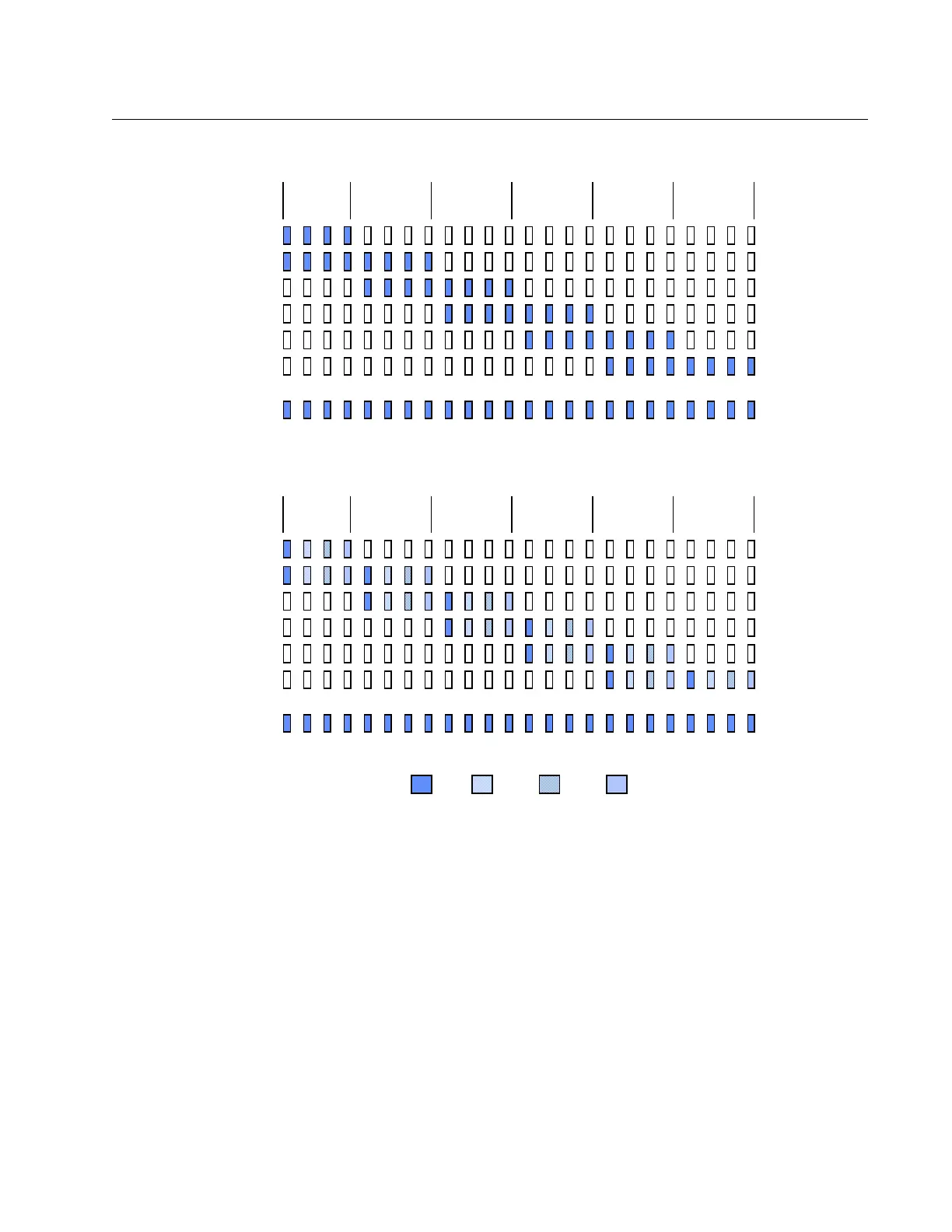
Figure 4-1 Sampling Report
Information Request:
Syntax: <Esc>SM ? <CRLF>
Response: SM = samples
Example: SM = 6
(Six samples averaged into each reported value)
Parameter Modification:
Syntax: <Esc>SM = samples <CRLF>
Range: 1 through 50
Seconds
Report 1
Report 2
Report 3
Report 4
Report 5
Report 6
Report 7
Sampling Rate
4 Per Second
Example: One input channel is active, MU = 1 Second, SM = 8 Samples Per Report
1 2 3 4 5 6
Seconds
Report 1
Report 2
Report 3
Report 4
Report 5
Report 6
Report 7
Sampling Rate
4 Per Second
Example: Four input channel are active, MU = 1 Second, SM = 2 Samples Per Report
1 2 3 4 5 6
Channel 1 Channel 2 Channel 3 Channel 4
Artisan Technology Group - Quality Instrumentation ... Guaranteed | (888) 88-SOURCE | www.artisantg.com



 To Next Page