Need help?
Do you have a question about the Luxul AMS-4424P-E and is the answer not in the manual?
The Luxul AMS-4424P is a 26-Port Gigabit Stackable PoE+ L2/L3 Managed Switch, designed for robust network installations. This Quick Install Guide provides essential information for setting up and operating the device, covering physical installation, network connections, initial access, and hardware operation.
The AMS-4424P serves as a central component in a network, facilitating high-speed data transfer and power delivery over Ethernet. As a Gigabit switch, it supports data rates of 10, 100, and 1000 Mbps, accommodating both half-duplex (for 10/100 Mbps) and full-duplex (for all speeds) modes. Its "Stackable" designation indicates its ability to be combined with other compatible switches to create a larger, more scalable network infrastructure, often managed as a single logical unit. The "PoE+" (Power over Ethernet Plus) capability means it can supply electrical power to compatible network devices, such as IP cameras, VoIP phones, and wireless access points, directly through the Ethernet cables, eliminating the need for separate power outlets for these devices. This feature simplifies cabling and deployment, especially in areas where power outlets are scarce or inconvenient.
Being an "L2/L3 Managed Switch," the AMS-4424P offers advanced network management capabilities at both Layer 2 (data link layer) and Layer 3 (network layer) of the OSI model. Layer 2 management typically includes features like VLANs (Virtual Local Area Networks) for network segmentation, Spanning Tree Protocol (STP) for preventing network loops, and Link Aggregation (LAG) for increasing bandwidth and redundancy. Layer 3 management extends these capabilities to include routing functions, allowing the switch to direct traffic between different IP subnets. This makes it suitable for more complex network environments where intelligent traffic management and security are critical. The switch is equipped with 24 PoE+ enabled Gigabit Ethernet ports (ports 1-48, though the manual refers to 24 ports as PoE+ and 26 total, implying 2 non-PoE ports) and two additional Gigabit Ethernet ports (ports 49 and 50) that are non-PoE. These non-PoE ports are likely intended for uplink connections or for connecting devices that do not require PoE. The inclusion of optical expansion ports that accommodate both 1 Gigabit SFP and 10 Gigabit SFP+ modules further enhances its versatility, particularly for high-speed uplinks or stacking purposes.
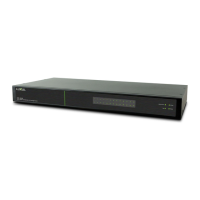
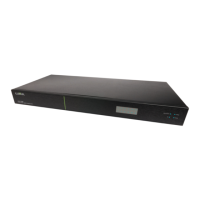
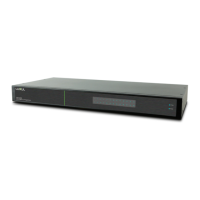
The AMS-4424P is designed for flexible deployment, supporting both rack-mounting and desktop use. For rack-mounting, it fits into a standard 19-inch rack, utilizing included mounting ears for secure installation. The design ensures that the front panel LEDs face outwards for easy status monitoring. For desktop use, rubber feet are provided to prevent slipping and protect surfaces.
Connecting the switch to a network is straightforward. It uses standard Ethernet ports, and no crossover cables are necessary for connecting to other Ethernet-enabled devices like servers, routers, or other switches. Luxul recommends using Category-5, super Category-5, or Category-6 unshielded twisted pair (UTP) cables for general network cabling. For optimal performance and stable data transmission at 1000 Mbps, Category-6 shielded twisted pair is recommended. A crucial caution is provided regarding network cabling: multiple uplink channels can create loops, leading to network failure. Users are advised to ensure only one uplink channel exists between switches or between the AMS-4424P and a router to prevent such issues.
Powering the device involves connecting it to a surge-protected outlet using the included power cable. The switch has a built-in power supply that supports a wide range of AC input (100~240VAC at 50/60Hz), making it adaptable to various power environments. The AMS-4424P has an internal 740W power supply, and users are cautioned not to exceed 25.5W per PoE device or a combined consumption of 740W for all external PoE devices.
Initial access and configuration of the switch are performed via a web-based interface. The default IP address for the switch is 192.168.0.4, with a default username of "admin" and password of "admin." If the network uses a different IP address scheme, users may need to temporarily configure their computer's IP address to be within the 192.168.0.X range to access the switch's configuration interface. The manual provides a link to Luxul's website for more detailed instructions on IP addressing. Once connected, users can navigate through the menu items to view and modify various configurations, including IP configuration and routing, PoE settings, VLANs, Spanning Tree Protocol, and stacking.
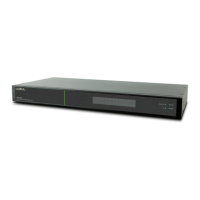
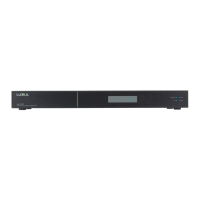
The front panel of the AMS-4424P features dual-colored Link/Activity LEDs that can be switched between green and blue, along with dedicated Link/Activity and PoE mode indicators, as well as System and Power LEDs. These indicators provide visual feedback on the switch's operational status and port activity. The rear panel includes a console port for command-line interface (CLI) access, the 24 Gigabit RJ-45 ports, and the two optical expansion ports. Each Gigabit port has a Link/Activity/PoE LED. A push-button switch with an LED indicator on the rear panel allows users to toggle the display between Link/Activity and PoE status for the port LEDs.
The AMS-4424P incorporates several features for monitoring and maintaining its operation. The LED indicators on the front and rear panels are key diagnostic tools. The System LED, for instance, flashes green during normal operation, glows solid green to indicate a malfunction (prompting contact with support), turns red during power-on system initialization, and is off when the startup/initialization process is incomplete or power is off. The Port Link/Act Status LEDs (1-50) use green to indicate a 1000Mbps device connection, yellow for a 10/100Mbps device connection, and flashing to show data transmission. If a port LED is off, it means nothing is connected to that port.
For PoE status, the Port PoE Status LEDs (1-50) use green to indicate that the switch is providing PoE power to a device. A yellow light signifies that PoE is off due to a fault or because the connected device is exceeding its power limit. If the PoE LED is off, it means the port is disconnected or the link has failed. During startup, all port LEDs will briefly flash as part of a self-test, which is a normal part of the initialization sequence.
The switch also includes a Mode/Reset button on the front panel, which serves a dual purpose for both LED functionality and device restoration. Briefly tapping this button switches the port indicators between displaying port link speed and PoE status. This allows administrators to quickly check the operational mode of each port without needing to access the web interface.
For more significant maintenance or troubleshooting, the Reset button can be used to reboot the switch or restore it to factory default settings. To reboot the switch, users press the Reset button for approximately three seconds until both the Link/Act and PoE LEDs light up, then release it. A crucial caution is given: holding the button for more than four seconds could erase all settings and restore factory defaults. To restore the switch to its factory default settings, the Reset button must be pressed and held for approximately eight seconds until both the Link/Act and PoE LEDs turn off, then released. The switch will then automatically restore defaults and reboot. Once the System LED starts flashing again, the AMS-4424P will be running with its original factory settings. Users are strongly cautioned that restoring default settings will remove any custom configuration, so this action should be performed with care and only when necessary.
The manual also highlights the importance of proper network cabling and configuration to prevent issues like network loops, which can lead to network failure. It advises ensuring only one uplink channel exists between switches or between the AMS-4424P and a router. This proactive guidance helps users maintain a stable and reliable network environment.
In summary, the Luxul AMS-4424P is a powerful and versatile managed switch designed for advanced network deployments. Its PoE+ capabilities, L2/L3 management features, and flexible installation options make it suitable for a wide range of applications. The comprehensive LED indicators and the multi-functional Reset button provide essential tools for monitoring, troubleshooting, and maintaining the device, ensuring reliable network operation.
 General
| Ports | 24 |
|---|---|
| PoE Ports | 24 |
| Switching Capacity | 48 Gbps |
| Forwarding Rate | 35.7 Mpps |
| Mounting | Rack-mountable |
| SFP+ Ports | 4 |
| MAC Address Table Size | 16K |
| VLAN Support | Yes |
| PoE Standard | IEEE 802.3af/at |
| Power Supply | Internal |
| Input Voltage | 100-240VAC, 50/60Hz |
| Humidity | 10% to 90% non-condensing |
| Dimensions | 440 x 260 x 44 mm (17.32 x 10.24 x 1.73 in) |
| Management | Web, CLI, SNMP |
| Operating Temperature | 0 to 40°C (32 to 104°F) |
| Storage Temperature | -4°F to 158°F (-20°C to 70°C) |

 To Next Page