Need help?
Do you have a question about the Luxul AMS-4424P and is the answer not in the manual?
Install the switch in a stable/safe rack to avoid damage and ensure proper ventilation.
Connect the switch to devices using RJ-45 cables and power it using the included cable.
Configure a temporary static IP address on your computer for initial switch access.
Connect a computer to the switch via Ethernet and log in using the default credentials.
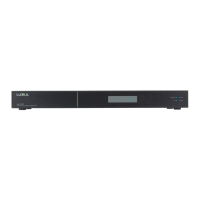
Understand the front panel LEDs (Power, Link/Act, PoE, System) and their states.
Configure System Contact, Name, and Location for easy switch identification.
Manually configure switch IP settings, DNS servers, and Default Gateway for network compatibility.
Sync network time using NTP servers for accurate timekeeping and logging.
Set the system Time Zone and configure Daylight Saving Time options.
Configure the Syslog Server for remote storage and management of log files.
Configure PoE settings, including power allocation modes and power management.
Set PoE Mode (Disabled, PoE, PoE+), Priority, and Maximum Power for each port.
Create 802.1Q VLANs and define port access capabilities using syntax.
Configure port modes (Access, Trunk, Hybrid) and VLAN tagging behavior on ingress/egress.
Specify which VLANs ports can join in Trunk/Hybrid modes, defaulting to all.
Prevent specific VLANs from being joined by ports, useful for dynamic protocol control.
Define Private VLAN membership by selecting ports for each PVLAN ID.
Enable or disable port isolation on VLAN members, restricting communication between ports.
Configure STP Protocol Version (STP, RSTP, MSTP) and bridge system parameters.
Map VLANs to Multiple Spanning Tree Instances (MSTIs) for improved network segmentation.
Configure the Bridge Priority for each MSTI Instance, influencing topology selection.
Configure CIST Port settings like STP Enabled, Path Cost, and Priority.
Configure MSTI Port settings, including Path Cost and Priority for specific MSTI instances.
 General
| Ports | 24 |
|---|---|
| PoE Ports | 24 |
| PoE Budget | 370W |
| Switching Capacity | 48 Gbps |
| Forwarding Rate | 35.7 Mpps |
| MAC Address Table | 16K |
| Jumbo Frame Support | 9KB |
| VLAN Support | Yes |
| Power Supply | Internal |
| Management | SNMP |
| Dimensions | 440 x 250 x 44 mm (17.3 x 9.8 x 1.7 in) |
| Mounting | Rackmount |
| Operating Temperature | 0 to 40°C (32 to 104°F) |
| Storage Temperature | -4°F to 158°F (-20°C to 70°C) |
| Humidity | 10% to 90% (non-condensing) |

 To Next Page