Need help?
Do you have a question about the Luxul Xen XGS-1008 and is the answer not in the manual?
Overview of the XGS-1008 as a desktop Gigabit Ethernet switch for home and small-business networking.
Lists key features including IEEE standards compliance, auto-negotiation, port count, and flow control.
Detailed specifications including supported protocols, packet rates, interface options, certifications, and power.
Lists the items included in the XGS-1008 package, such as the switch, power adapter, and documentation.
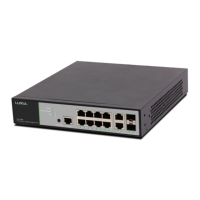
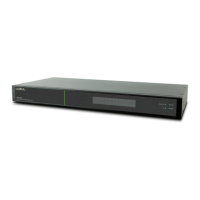
Description of the front panel layout, including Link/Activity and power LEDs.
Explanation of the Power and Link/Activity LED indicators and their meanings.
Details the rear panel, including the 8 Ethernet ports and the DC power port.
Lists system requirements for connecting the XGS-1008, including Ethernet cables and power specifications.
Covers installation requirements like stable placement, power cord inspection, and ventilation.
Steps to take before connecting the device to the network, including placement and power checks.
Instructions on using Ethernet cables (CAT5e/CAT6) to connect the XGS-1008 to other devices.
Guidance on connecting the XGS-1008 to a router or another switch for network expansion.
Warnings and recommendations regarding usage in hazardous atmospheres, hospitals, and power supply requirements.
Details the FCC compliance statement for Class B digital devices and measures to correct interference.
Contact information for the Luxul Sales Department, including phone and email.
Contact information for Luxul Technical Support, including phone and email.
 General
| Ports | 8 x 10/100/1000 Mbps RJ45 |
|---|---|
| Switch Type | Unmanaged |
| Switching Capacity | 16 Gbps |
| Forwarding Rate | 11.9 Mpps |
| Jumbo Frame Support | 9KB |
| MAC Address Table Size | 8K |
| Mounting Options | Desktop, Wall |

 To Next Page