User Guide
4
© Copyright 2011 Luxul. All rights reserved. Trademarks & Registered Trademarks are property of respective holders.
1: PRODUCT OVERVIEW
1.1 Product Introduction
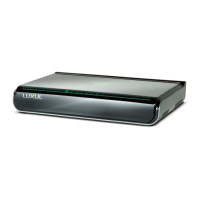
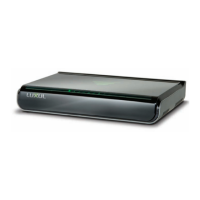
The XGS-1008 8-Port Desktop Gigabit Ethernet Switch is especially suited to
home and small-business networking. It provides eight 10/100/1000Mbps ports
with Auto-negotiation and Auto MDI/MDIX capability. All ports can be used for
ordinary network traffi c as well as for uplinks to connect with other networking
devices (i.e. routers, switches, etc.). The XGS-1008 provides 10X the performance
of a standard 10/100Mbps switch and can be a simple upgrade replacement for
resolving performance bottleneck issues associated with the use of legacy Ethernet
switch hardware. Each port within the XGS-1008 can deliver up to 2000Mbps in
full-duplex mode, making it an excellent choice of improving performance be-
tween devices on the local network. With easy XenConnect™ plug-and-play setup
and no network management you will benefi t from a seamless installation, whether
you are setting up a new network or upgrading from a legacy 10/100 switch.
1.2 XGS-1008 Features
Compliance with IEEE802.3, IEEE802.3u and IEEE802.3ab Ethernet standards,
supporting 10/100/1000 transfer modes.
Auto MDI/MDIX on each port
NWAY Auto-Negotiation functionality
Eight 10/100/1000Mbps RJ-45 ports
IEEE802.3x fl ow control for full-duplex and Backpressure fl ow control for
half-duplex
16Gbps backplane bandwidth and non-blocking wire speed forwarding
Store-and-forward switching method
8kb MAC address table and MAC address auto-learning/auto-aging
XenConnect “Plug and Play” Compatibility
Small footprint desktop design


 To Next Page
 Loading...