Need help?
Do you have a question about the Luxul XMS-2624P and is the answer not in the manual?
Covers rack mounting and placement for ventilation and heat dissipation.
Details connecting network cables and powering the switch.
Guides on connecting a computer and logging into the switch interface.
Covers setting the switch's IP address, DNS servers, and default gateway.
Guides on configuring PoE settings and port options for power delivery.
Details setting PoE mode, priority, and maximum power per port.
Guides on creating 802.1Q VLANs and defining allowed/forbidden VLANs.
Details port modes (Access, Trunk, Hybrid) and their VLAN tagging behavior.
Covers configuring STP protocol version and bridge parameters like priority.
 General
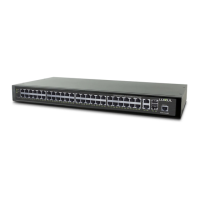
| Ports | 24 |
|---|---|
| PoE Ports | 24 |
| Total PoE Power | 370W |
| Switching Capacity | 52 Gbps |
| MAC Address Table Size | 16K |
| Rack Mountable | Yes |
| VLAN Support | Yes |
| Power Supply | Internal |
| Jumbo Frame Support | 9K |
| Weight | 5.5 lbs |
| Management | SNMP |
| Operating Temperature | 0 to 40°C (32 to 104°F) |
| Humidity | 10% to 90% (non-condensing) |
| SFP Ports | 2 |
| Dimensions | 440 x 260 x 44 mm (17.32 x 10.2 x 1.73 in) |


 To Next Page