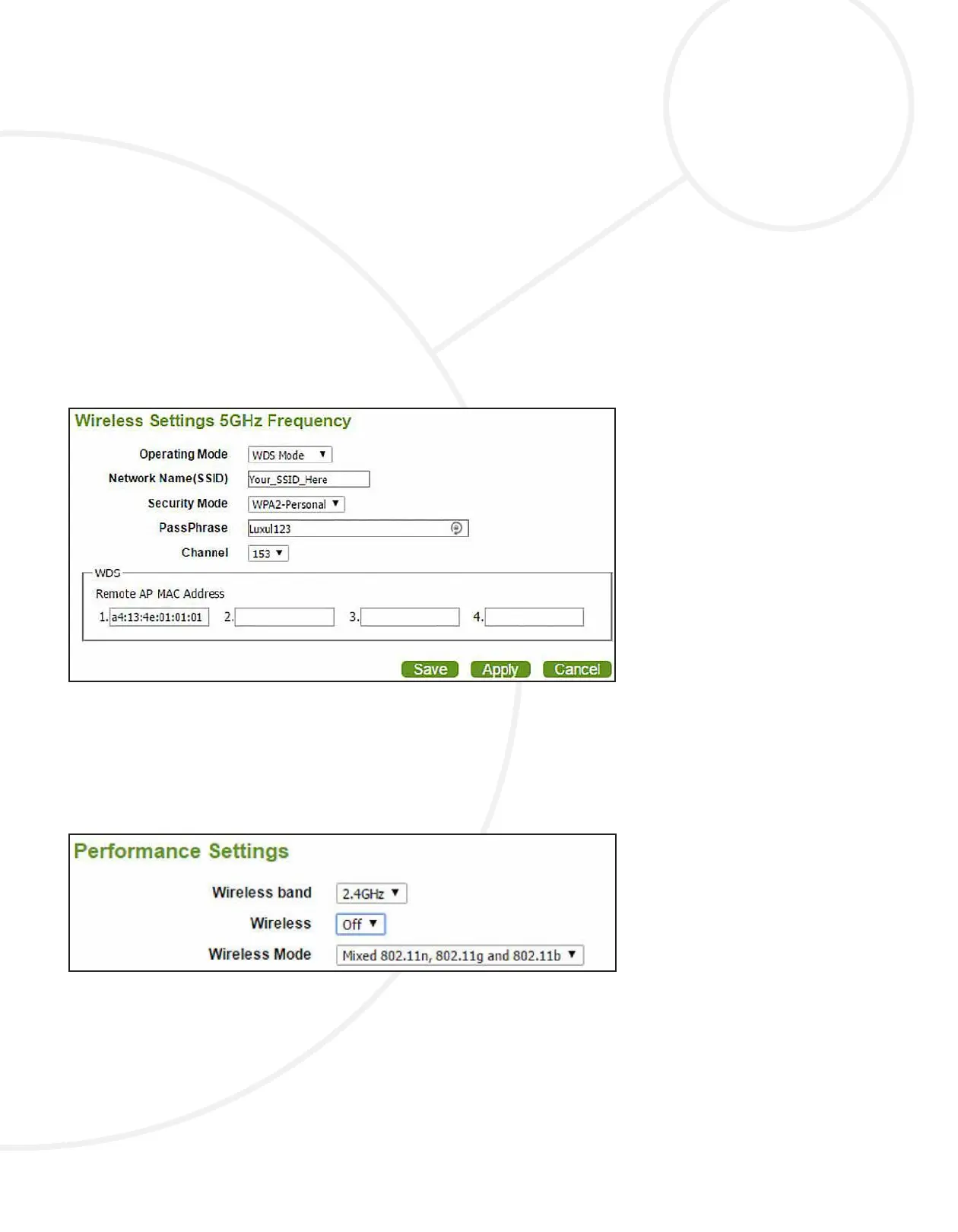
2. Change the Mode from Access Point to WDS.
3. Enter the same SSID (Network Name) you congured in the ROOT AP.
4. Select your desired SSID Visibility.
5. Congure Auto Channel Selection to match the conguration in the ROOT AP.
6. Congure Channel to match the conguration in the ROOT AP.
7. Congure Channel Width to match the conguration in the ROOT AP.
8. Congure the WDS. Select the Scan button and the system will retrieve the
information from the ROOT. Select the button next to the Channel setting
and the Remote AP MAC Address will automatically appear.
9. Change Authentication from Open System to WPA2-Personal and conrm
that the Passphrase matches the ROOT AP’s Passphrase conguration.
DISABLE OR SECURE THE SSID
On the frequency you did NOT choose for the bridge, you should either disable or
secure the SSID.
A. DISABLE THE SSID
Select Advanced Settings and Performance, then change the Wireless setting
from On to O, then select Save and Apply.
B. SECURE THE SSID
Select the Quick Setup page, then in the frequency with the Operating Mode
congured as Access Mode, make the following changes:
1. Enter your desired Network Name (SSID).
2. Change the Security Mode from Open System to WPA2-Personal.
3. Enter your desired PassPhrase to secure the SSID.
4. Change the Channel as needed.
TECH NOTE


 To Next Page