|
12 P16MI417 - A02 - 01/16
FOR THE INSTALLER
AND USERS
DEFINE A MODE TO A ZONE/ROOM
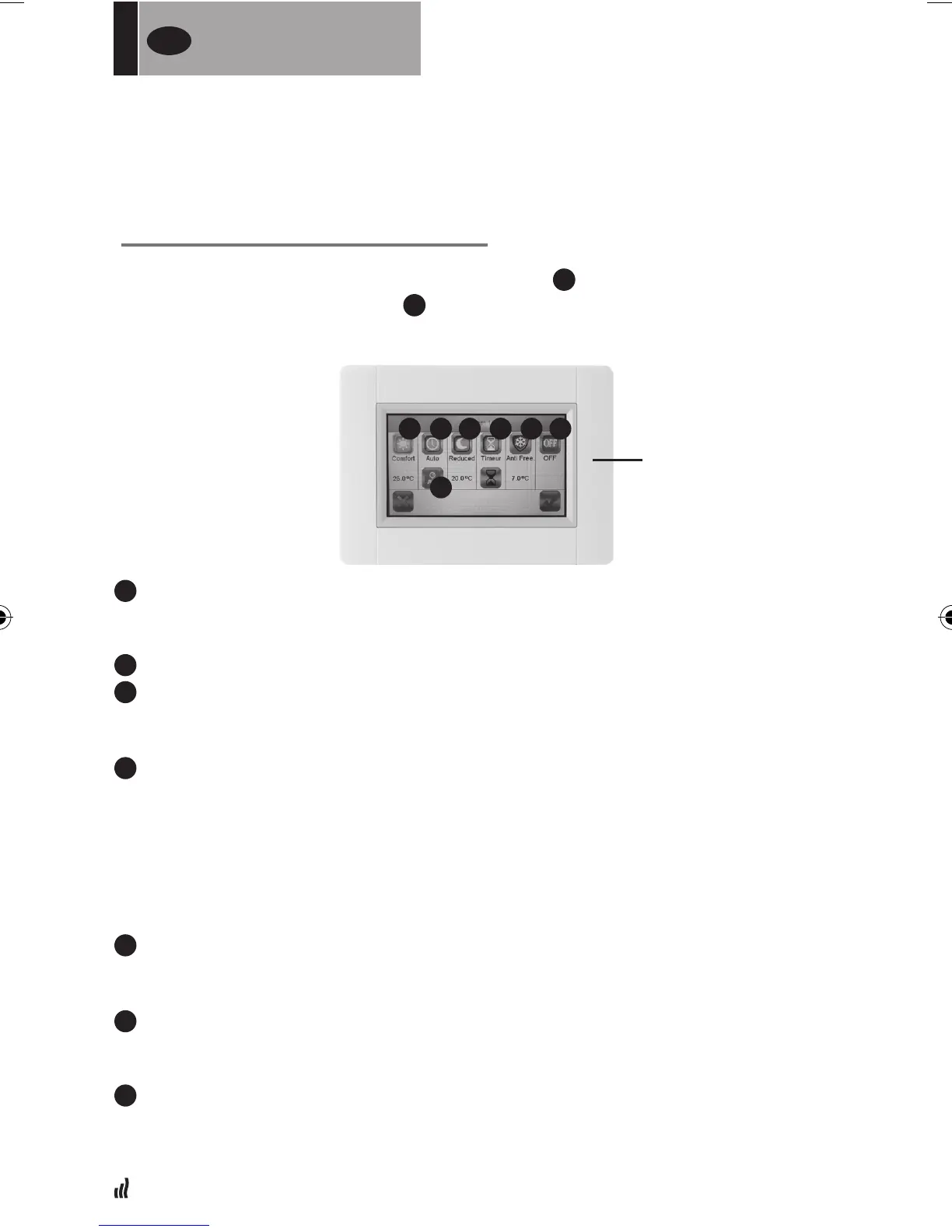
01. From the “Start screen”, press “Home” button.
B
02. Press “Current mode” button
3
. (See “Heating Device Management” section, p 18).
Showinganti-freezemodethersttime.
g
Comfort mode:
Set the comfort temperature in this mode. The radiator will remain at this
temperature.
h
Auto mode: The room temperature will follow the selected program.
i
Reduced mode:
Set the reduced temperature in this mode. The radiator will remain at this
temperature.
j
Timer mode
•Todenethetime,pressthe“Blackhourglass”button.
•Denethetime(3minutes-44days)
• Press the “Green check” button
• Press the “White hour glass”button
• Press the “Green check” button
•Dene“timertemperature”bypressing“+”or“-”intheControlmenu.
k
Frost protection mode.
Set the Frost protection temperature in this mode. The radiator will remain
at this temperature.
l
Off mode.
The radiators will not heat. NOTE: Your house’s water pipes may freeze in this
mode. WARNING: The radiators are still connected to the electrical supply.
m
Program Setting: For selecting the program to be followed when in Auto mode.
03. Press the desired mode button
04. Press the “Green check” button
FOR THE INSTALLER
AND USERS
UK
g h
m
i j k l
CURRENT MODE
MENU


 To Next Page