3130
From this screen you will have some op-
erational possibilities:
F1 [SKIP] Excludes the selected SLOT
from the execution of the Scene. Select
the SLOT by turning [ALPHA DIAL] or [Up
down] press F1 [SKIP]. An icon will ap-
pear, indicating that the SLOT will not be
played in the current Scene.
F2 [NEXT] Inserts the selected SLOT in
the Next location. Then the SLOT will be
executed after the one being executed.
Select the SLOT by turning [ALPHA DIAL] or
[Up down] press F2 [NEXT]. The letter "N"
appears next to it, and the SLOT is placed
on Next location.
F3 [LOAD] Loads the selected SLOT into
memory, ready to be executed. Select the
SLOT by turning [ALPHA DIAL] or [Up down]
press F3 [LOAD]. The SLOT will be loaded
into the Player and ready to be executed.
If the player is playing another Slot
(audio or video) a confirmation screen will
appear before loading the memory and in-
terrupting the current playback.
PLAY: to play any of the SLOTS of a SHOW.
Select the SLOT by turning [ALPHA DIAL] or
[Up down] press PLAY. The SLOT will start
immediately, interrupting the SLOT that is
being executed.
The PLAY button is immediate-action,
so if the player is playing music or video,
these will be stopped permanently.
metronome. Turn Alpha Dial to select.
OUTPUT: choose the output. Change the
value with Alpha Dial.
LIGHT: allows the CLICK sound to be as-
sociated with a timed light in the METRO-
NOME button.
UP and DOWN keys: change tempo while
the metronome is being executed.
Once the settings have been made, the
metronome is ready to start: press F3
[START] or Play to begin. The metronome
can be programmed within a SHOW as a
Slot. You can programme it if you need to
send the Metronome to the musicians on
stage during a performance, even with-
out a running music base. From the Main
screen, you can change the BPM by press-
ing the two arrows Up and Down.
SYSTEMSYSTEM
The System button gives access to a
number of settings of the B.Beat PRO16,
as well as managing the Wireless
con-
nection and System information.
OPTION>>OPTION>>
The option menu contains the following
submenus, which can be accessed by
pressing ENTER:
AutoPlay: AutoPlay: activates or deactivates the Au-
toPlay function. Press Enter on Autoplay
and then select Off or On. Auto Play ON
enables automatic play during the Playlist
being executed. When Autoplay is in the
OFF position at the end of each track in a
playlist B.Beat PRO16 stops until the Play
button is pressed to continue the playlist.
For Shows and Scenes the function of Au-
toplay, Stop is specifically defined.
Stop on Pedal (Live): Stop on Pedal (Live): in activated LIVE
mode this option allows STOP to be inhib-
ited if the pedal is pressed accidentally. It
has two modes: Disable (stop disabled) -
Allow (stop allowed). To activate it, select
Allow > Save.
AutoHotSpot:AutoHotSpot: if in the ON position, the Hot
Spot function for device or mobile phone
connection is always active when switch-
ing on the B.Beat PRO16, provided that
you do not wish to activate a Wireless
connection to a public network. The Hot
Spot allows Smart Devices to connect to
B.Beat PRO16 and use the Prompter App
to display lyrics and scores.
Enable Headphones:Enable Headphones: selecting ON acti-
vates the Headphone output. In this way,
the headphone output on the front panel
will be active and can be used during Live
METRONOMEMETRONOME
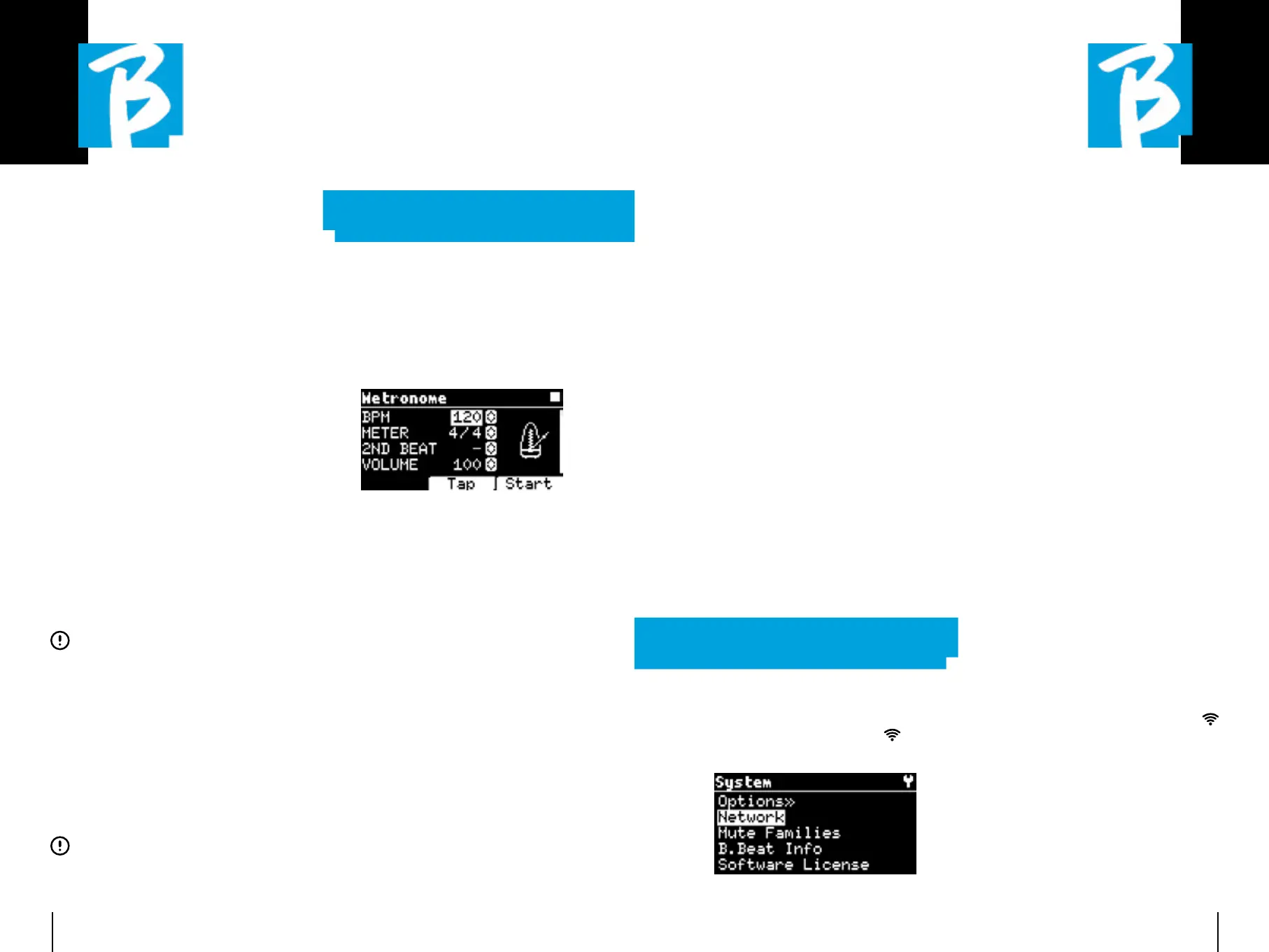
B.Beat PRO16 includes a metronome. It
can be used as a guide during a Live per-
formance. It can be placed within a scene
that will make up a show.
Pressing the Metronome button takes you
to the dedicated page.
BPM: indicates the chosen speed. It can
be changed with the Alpha Dial (rotate left
or right) or with the TAP function.
TAP: press F2 [TAP] -> tap the stop button
to give the metronome time -> press F3
[DONE] when completed.
METER: choose the metric subdivision.
You can change the value with Alpha Dial.
2nd BEAT: choose the presence of a sec-
ond beat within the measure, you can se-
lect the fourth or eighth of the measure on
which you want the second beat.
VOLUME: choose the output volume of the
metronome. Change the value with Alpha
Dial.
SOUND: choose the sound to be used for the


 To Next Page
 Loading...