HIFACE EVO TWO
UNIVERSAL D-TO-D CONVERTER
REVISION P
R
A – AUGUST 2015
Copyright © 2015, M2Tech Srl
50
www.m2tech.biz
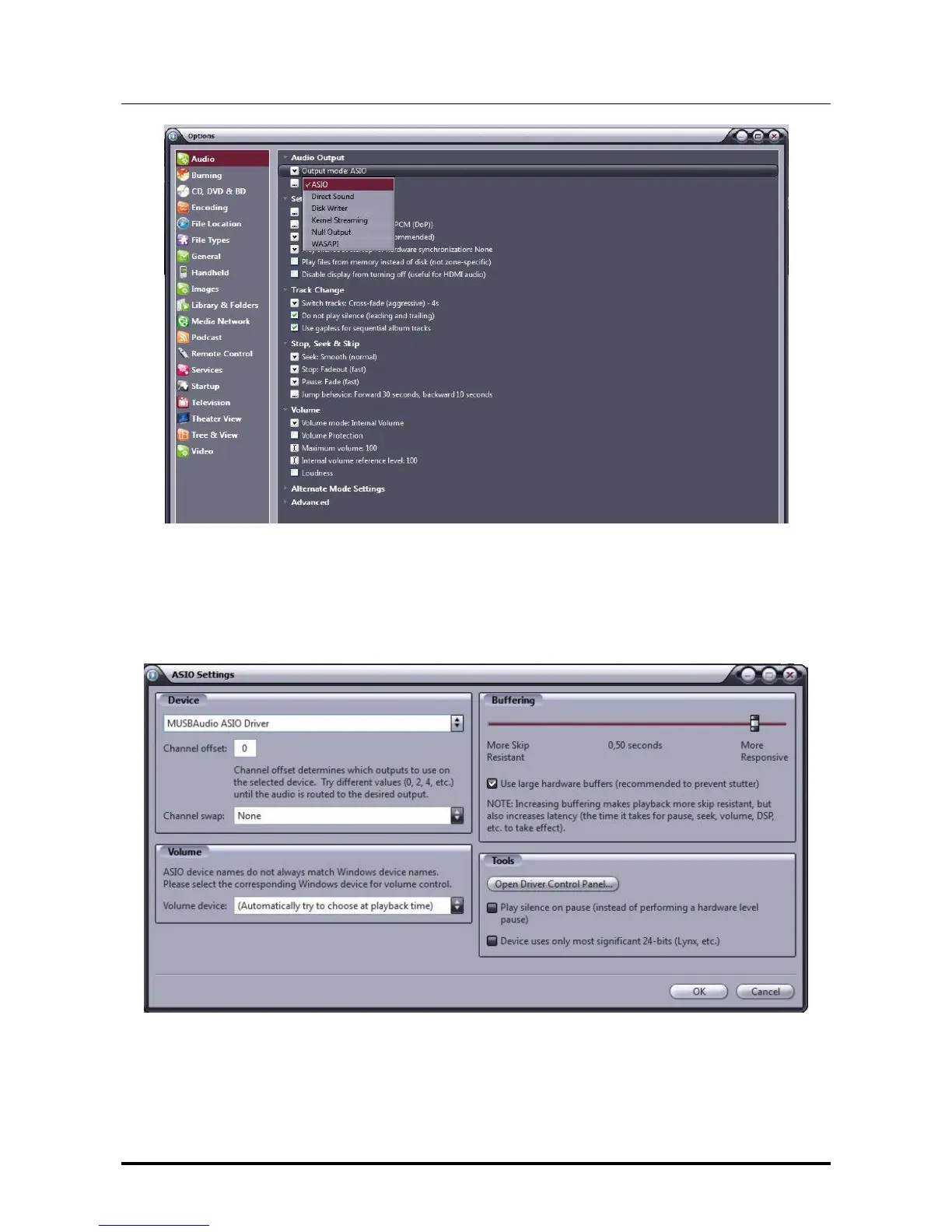
Figure 37
Then, open the window for the configuration of the output mode (“Output mode settings”),
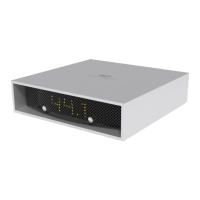
which is obviously dedicated to ASIO, and select the “MUSBAudio ASIO Driver”, as shown
in Fig. 38.
Figure 38
At this point, JRiver recognizes the capability to handle DSD in DoP (DSD over PCM)
format. From the dropdown menu which is selected by clicking on “Bitstreaming”, select
“Custom…” as shown in Fig. 39


 To Next Page