HIFACE EVO TWO
UNIVERSAL D-TO-D CONVERTER
REVISION P
R
A – AUGUST 2015
Copyright © 2015, M2Tech Srl
54
www.m2tech.biz
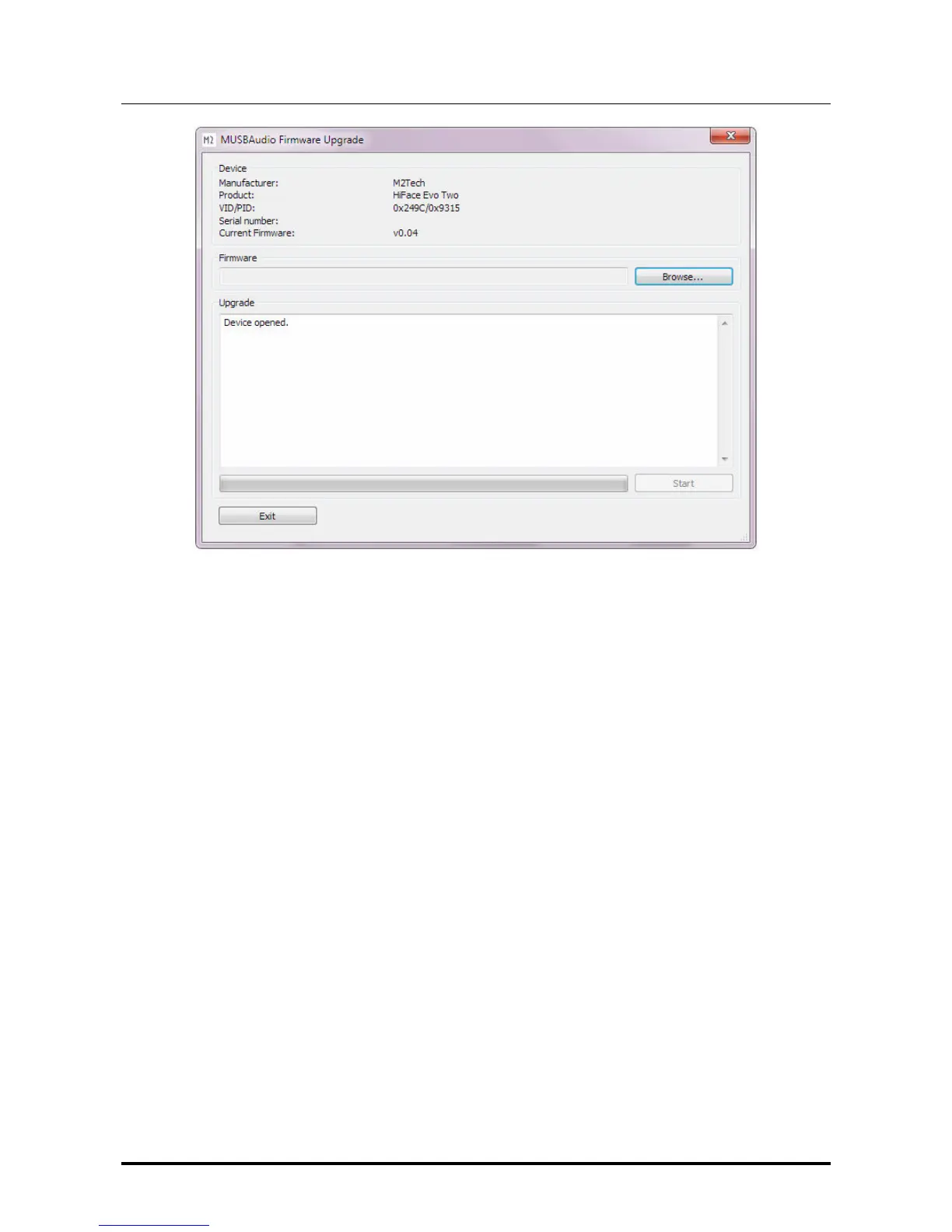
Figure 43
Click on the “Browse” button to select the file previously downloaded from M2Tech
website, which contains the new firmware. Then, click on “Start” button to launch the
update procedure. Wait for the update completion, which will be indicated by the control
panel showing a new firmware version.


 To Next Page