
 Need help?
Do you have a question about the M3 Mobile SL20 Series and is the answer not in the manual?
Lists items included in the M3 SL20 package.
How to insert, remove, and charge the device battery.
Procedures for powering the device on, off, and standby.
How to insert and check data on a memory card.
Steps for inserting the SIM card into the device.
Overview of the device's physical layout and components.
Explains the function of each physical button on the device.
Describes the main interface elements of the device.
Explains the icons and information displayed in the status bar.
Details the icons and notifications shown in the notification bar.
Information on shortcut icons placed in the dock bar.
How to input data using the virtual keyboard.
Procedures for resetting the device to factory defaults.
Method for performing a soft reset via the power menu.
Steps to perform a full factory data reset.
Explains the security feature preventing unauthorized resets.
How to connect the device to a computer.
How to make calls and manage contacts.
How to connect to and use Wi-Fi networks.
Information on using the device's built-in 2D scanner.
How to connect and use Bluetooth devices.
How to activate and use the NFC feature.
How to check for and install operating system updates.
Customizing the device's physical key assignments.
How to swap the battery without rebooting the device.
Detailed technical specifications of the M3 SL20 device.
Information on obtaining support and contacting service centers.
 General
| Brand | M3 Mobile |
|---|---|
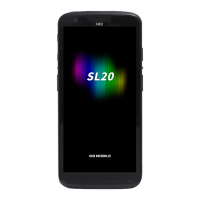
| Model | SL20 Series |
| Category | Data Loggers |
| Language | English |

 To Next Page