SL20 Series
User Manual
15
1.4 Memory Card
1.4.1 Inserting an External Memory Card
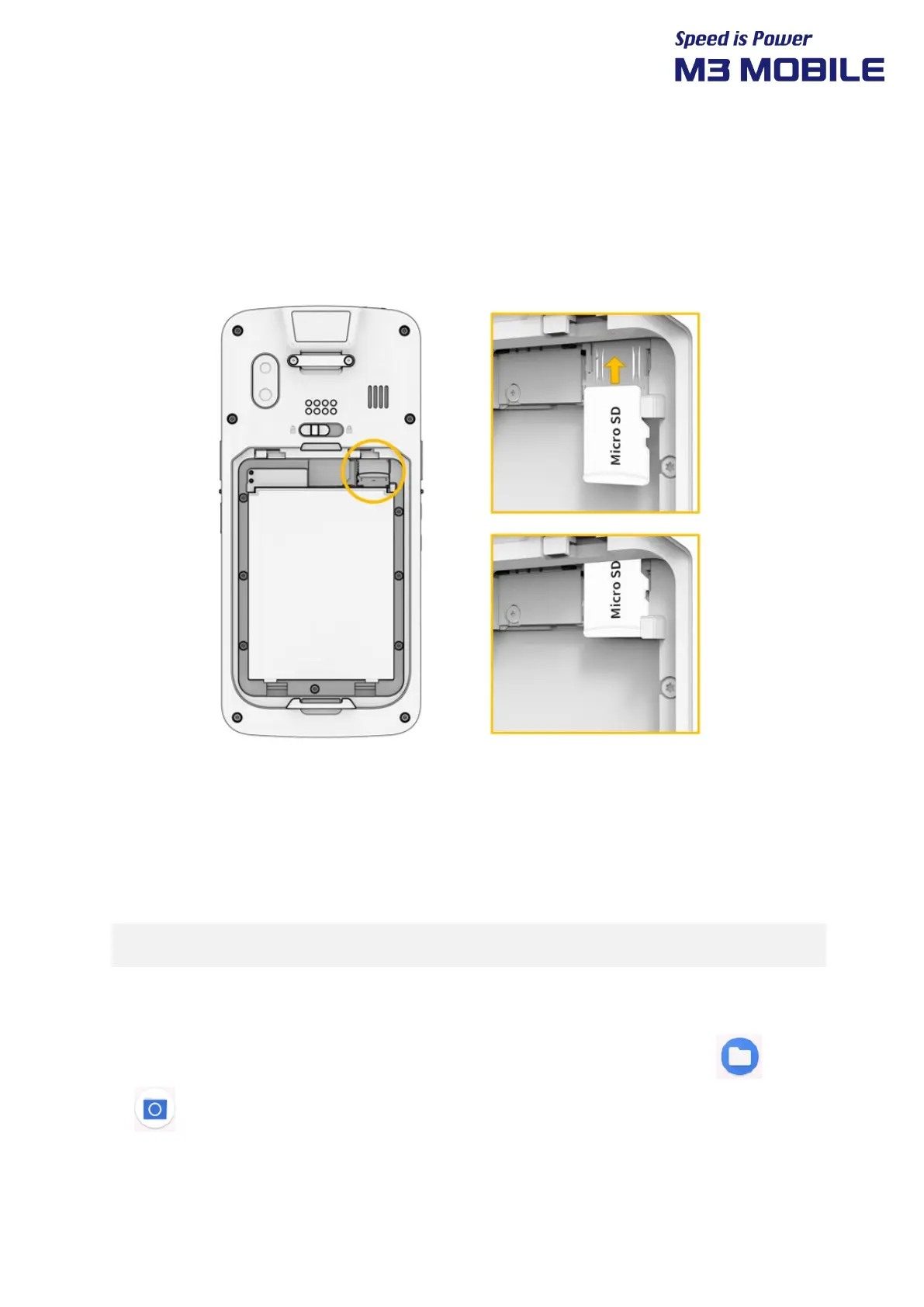
The Micro-SD card is used as an external memory of M3 SL20. After removing the battery, insert
SD memory card into the Micro-SD card slot.
To insert a Micro-SD card, remove the battery cover on the back of the device and remove the
battery.
Insert the Micro-SD card by pushing it all the way in and when you remove it, take it out slightly
with your hands.
Android™ 11, the OS used in M3 SL20, can support up to 512 GB for external memory.
1.4.2 Checking Data
Information stored in the Micro-SD card can be checked by swiping bottom Click Files
or File manager Menu SD card


 To Next Page
 Loading...