SL20 Series
User Manual
9
1.2 Battery
1.2.1 How to use
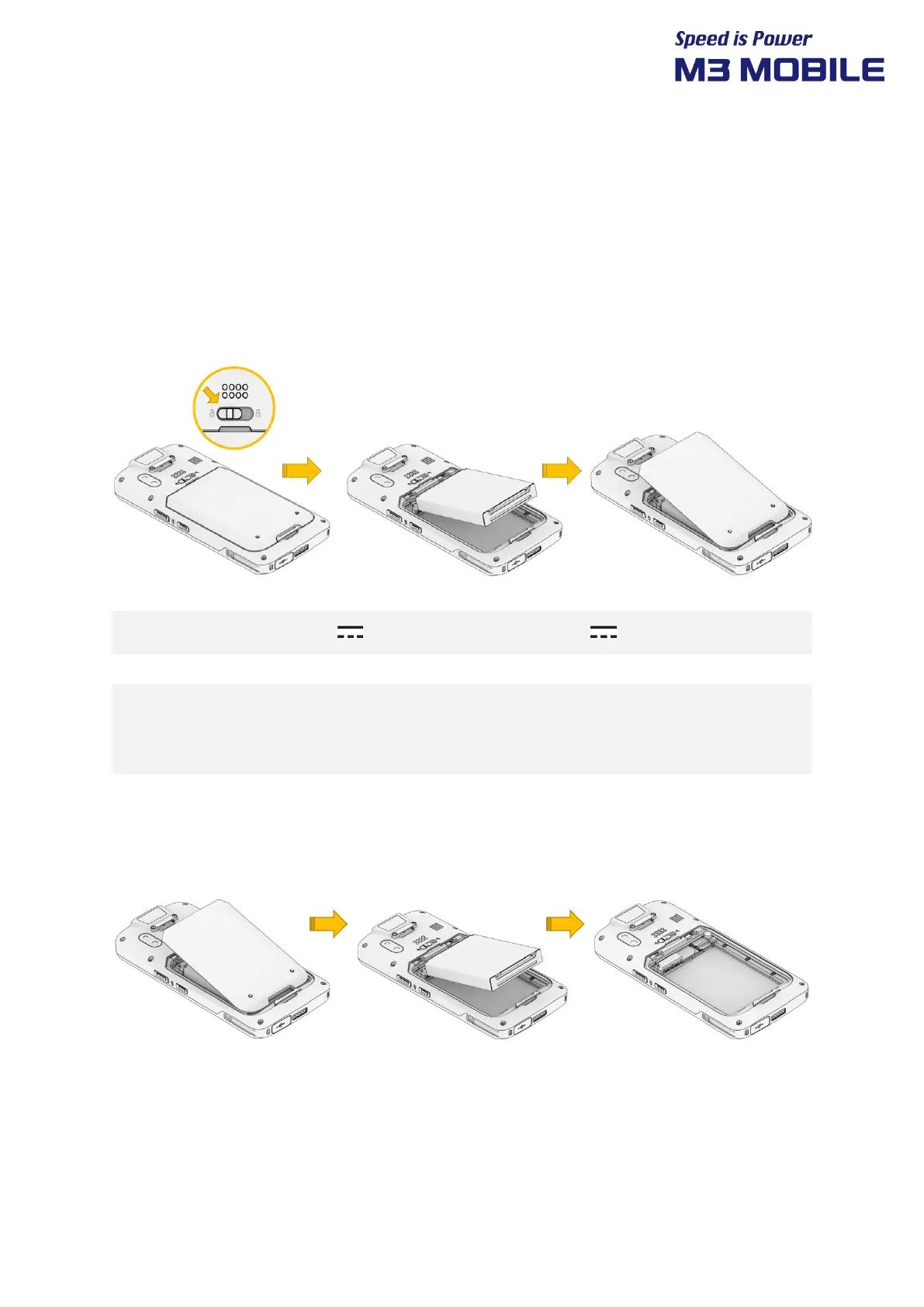
Inserting the Battery
Remove the battery cover with the battery lock button to the left.
Insert the battery in the correct direction from the top and lock the battery lock button
to the right.
M3 SL20 uses 3.8 V 3,000mAh Li-ion Battery, 3.8V 5,000mAh Li-ion Battery.
If an unapproved battery is used, it may explode.
When a battery is discarded, follow proper disposal procedure.
Check if the battery is inserted in right direction.
Removing the Battery
Press the battery lock button to the left and remove the battery.


 To Next Page
 Loading...