SL20 Series
User Manual
29
3.4 Bluetooth
3.4.1 Setting the Bluetooth Feature
A Bluetooth device frequently used can be registered, or M3 SL20 can be searched in another
device.
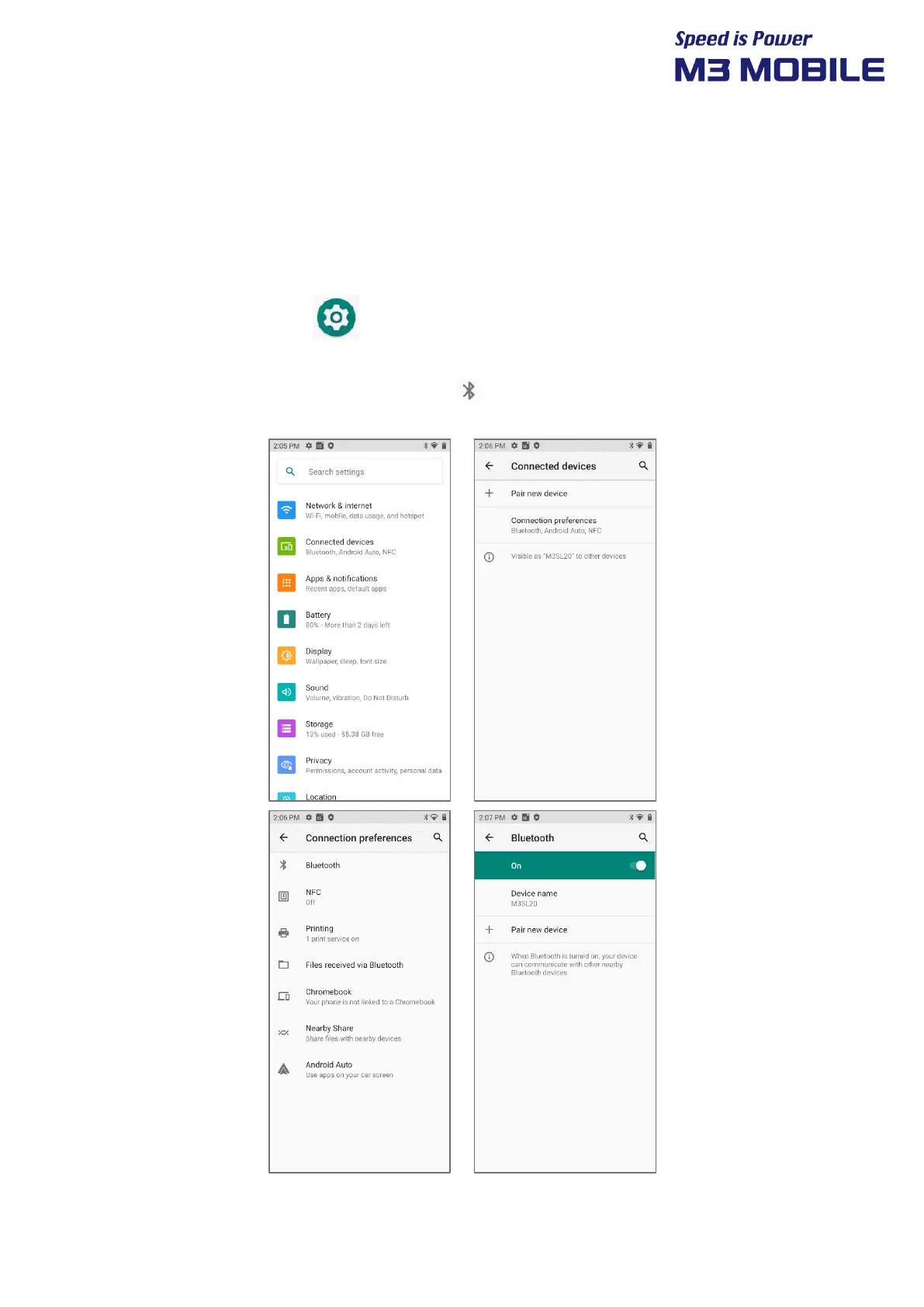
Activating the Bluetooth feature
Swipe the bottom Click Settings Connected devices Connection preferences
Bluetooth + Pair new device (List of devices available to connect to is displayed)
If Bluetooth signal is turned on, Bluetooth icon ( ) is displayed in the Status bar indicating that
the Bluetooth feature is activated.


 To Next Page
 Loading...