US20 Series
User Manual
35
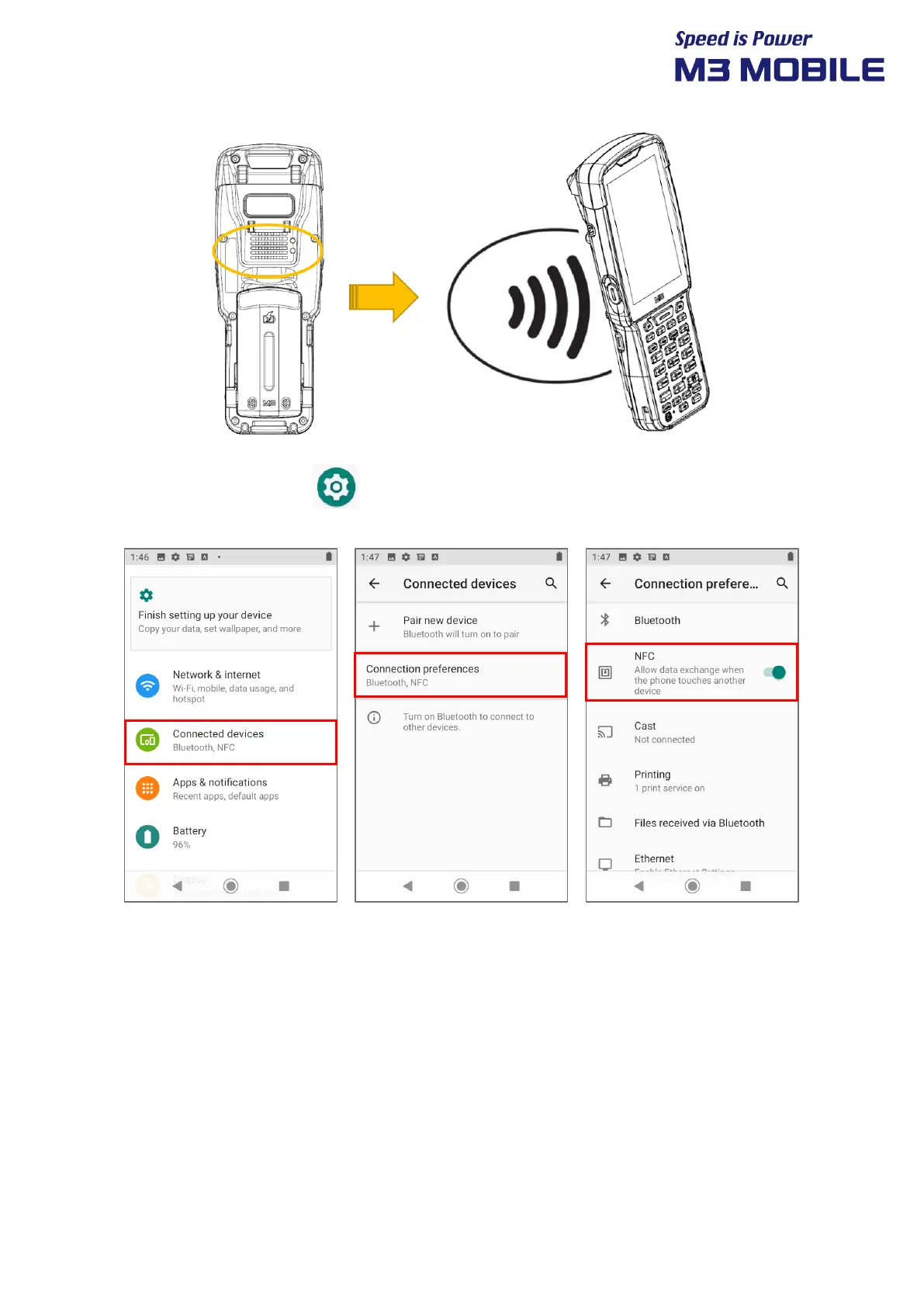
Swipe the bottom Click Settings Connected devices Connection preferences
NFC On
3.5.2 Connecting the NFC Feature
Connecting with the NFC Device
Open Web page or screen of a video, photo, or contact.
Place back part of the NFC device toward back part of M3 US20.
Touch the screen. Data transfer would then start.


 To Next Page
 Loading...