US20 Series
User Manual
20
2.3 Home Screen
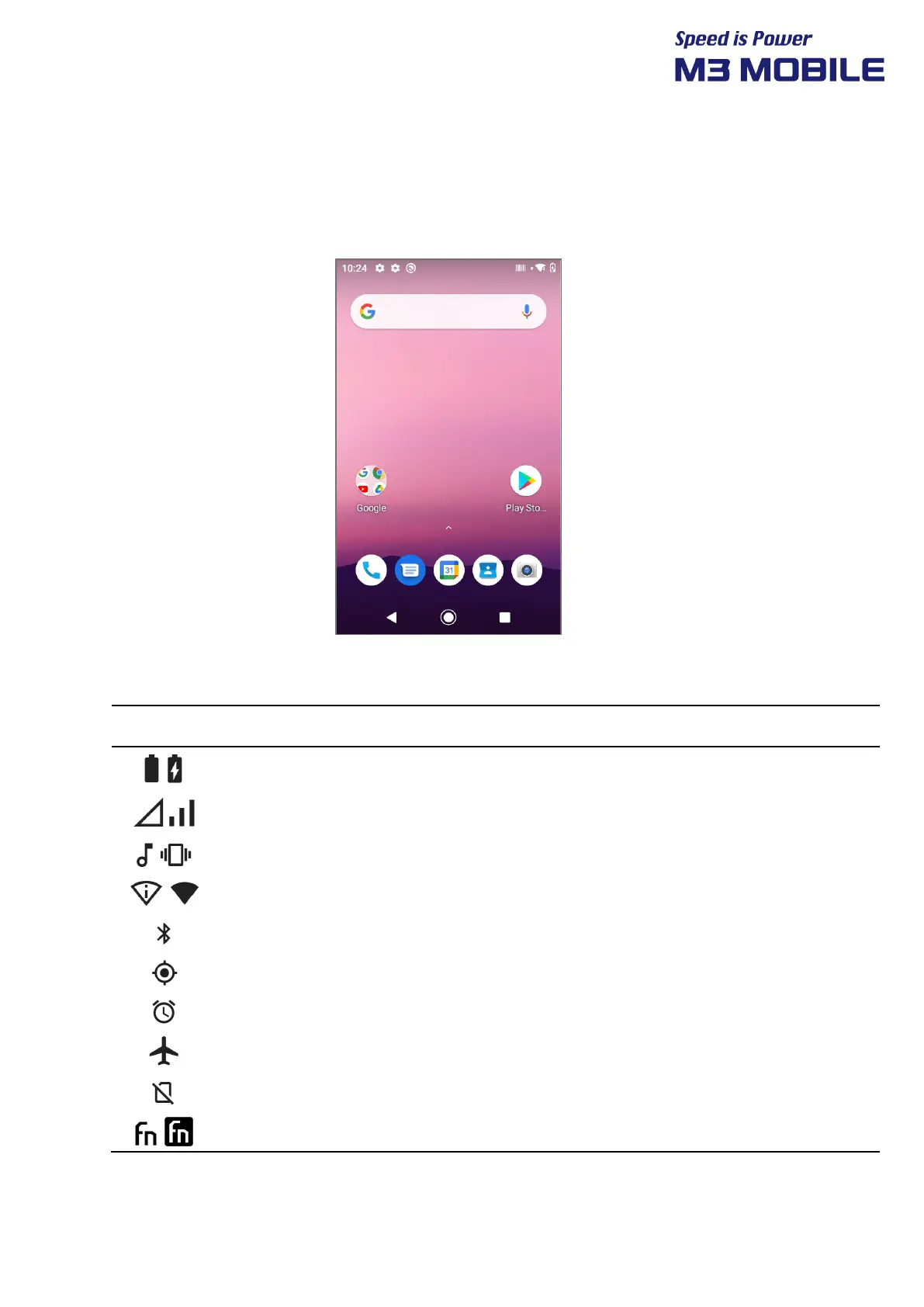
If the device is turned on, the following screen will be displayed. The screen is divided into six
sections as follows:
Notification Bar
Status Bar
Quick Search Bar
Home Screen
Dock Bar
⇨ Navigation Bar
2.3.1 Status Bar
The Status Bar displays status of the device.
Battery Battery charging status or battery residual capacity
Phone Call strength or no signal
Sound / Vibration Sound or Vibration status of the device
Wi-Fi Wi-Fi connection/disconnection
Bluetooth Bluetooth connection/disconnection
GPS Status of searching the location data
Alarm Alarm activation status
Airplane Mode Activation status of Airplane mode
NO SIM SIM card is not connected
FN key Function key


 To Next Page
 Loading...