Firmware burning
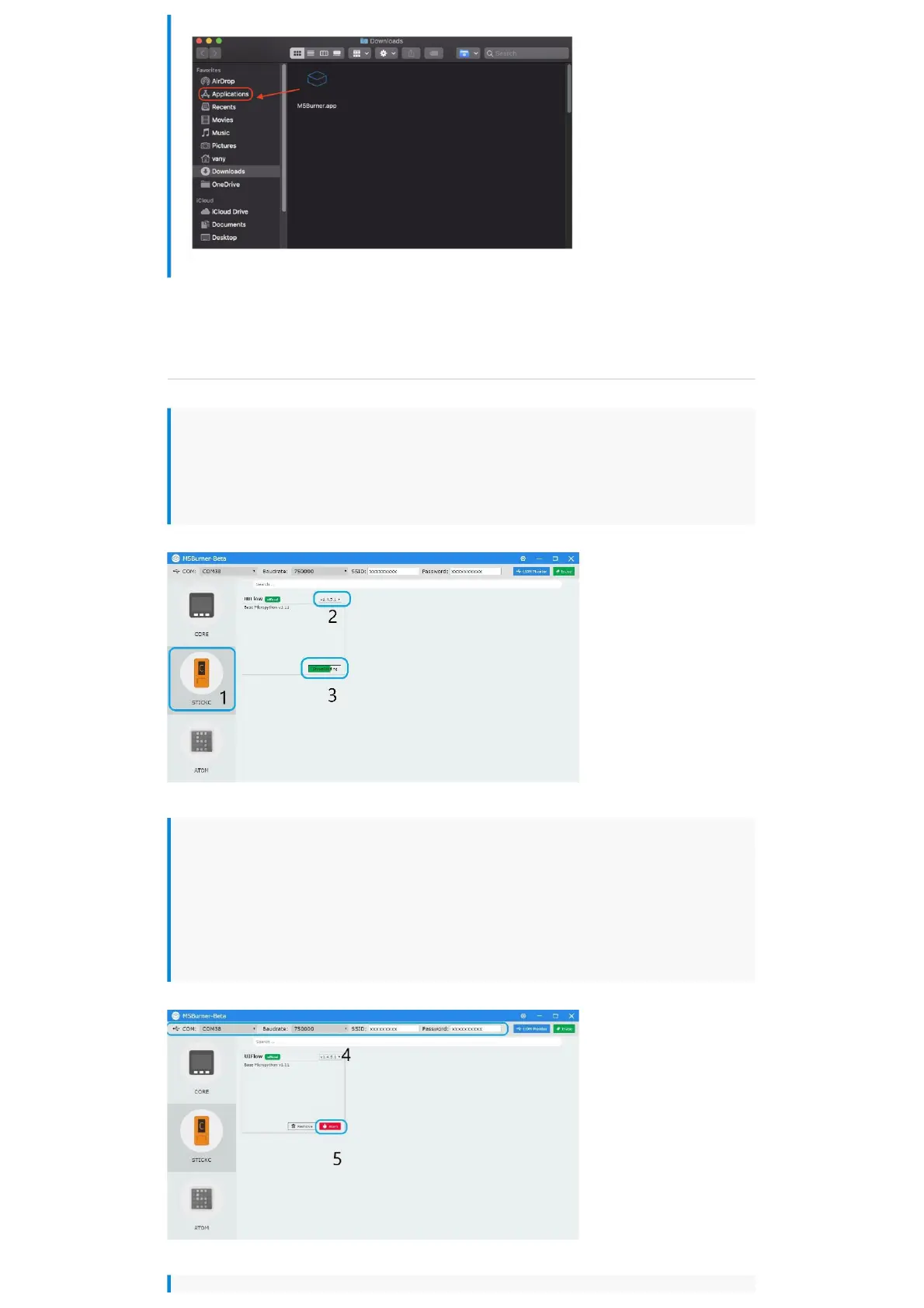
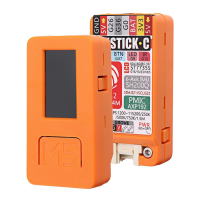
1.Double-click to open the Burner burning tool, select the corresponding device type
in the left menu, select the firmware version you need, and click the download button
to download.
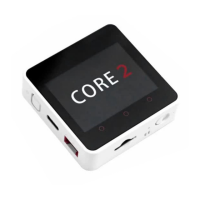
2.Then connect the M5 device to the computer through the Type-C cable, select the
corresponding COM port, the baud rate can use the default configuration in M5Burner,
in addition, you can also fill in the WIFI that the device will be connected to during the
firmware burning stage information. After configuration, click "Burn" to start burning.


 To Next Page