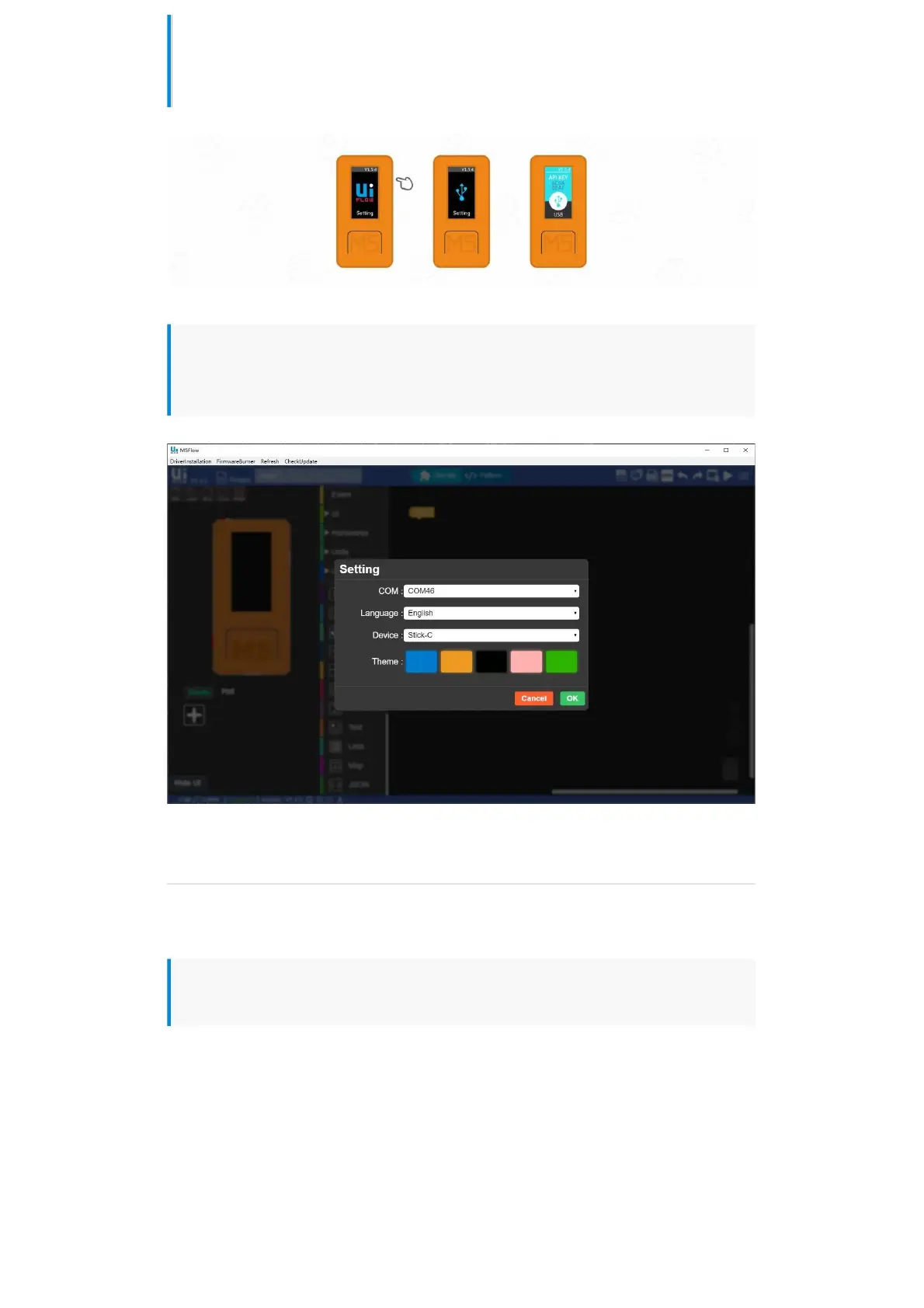
Click the power button on the left side of the device to restart, after entering the
menu, quickly click the right button to select USB mode.
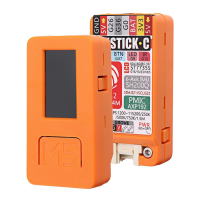
Select the corresponding port, and the programming device, click OK to connect.
BLE UART
Function Description
Establish Bluetooth connection and enable Bluetooth passthrough service.


 To Next Page