MACES4C-00 Operator UI manual 4
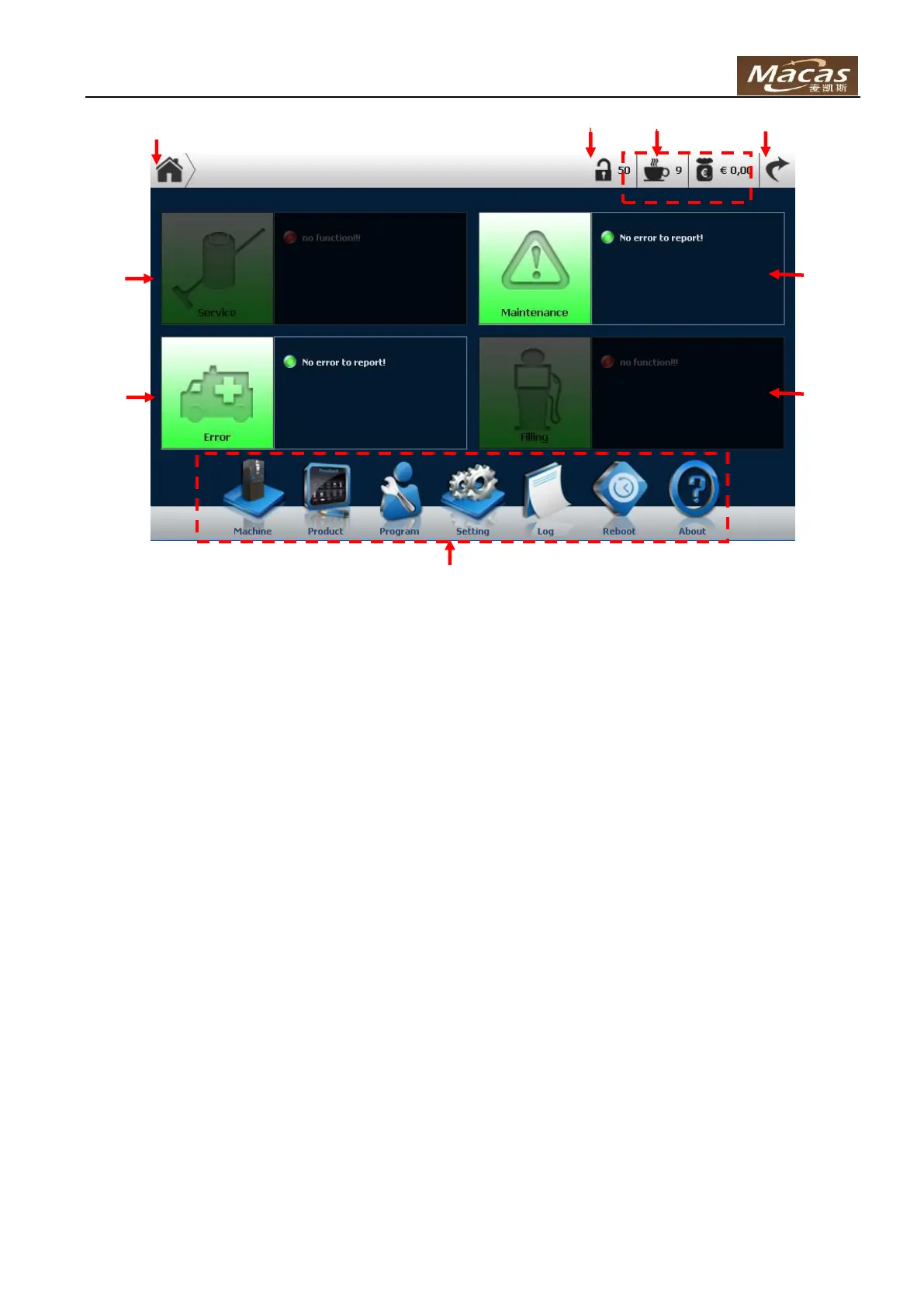
There are several buttons and areas in the home screen of OUI:
1. Home button: go back to this screen in any other screen
2. Authorization level indicator
3. Reports & credit
4. Return to CUI
5. Service area ( not available, will be implemented soon )
6. Error area: display error in red and warning in yellow
7. Maintenance area: display error/warning regarding maintenance, e.g. filter should be swapped, etc.
8. Filling area ( not available, will be implemented soon )
9. Function buttons



 To Next Page