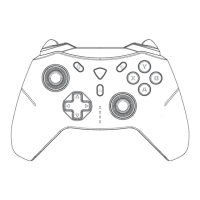
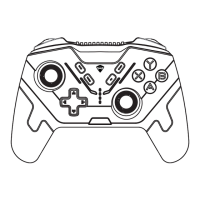
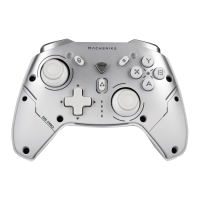
Vibration Intensity Adjustment:
Lighting Brightness Adjustment:
FEATURES
EXPANDED FEATURES
1. Press and hold the + Home + B buttons for 3 seconds to turn on the cali
-bration in the power-off state.
2. Joystick calibration: fully move the joystick left and right slowly and rotate
it more than three times.
3. Trigger calibration: press the [LT] and [RT] buttons to the bottom more than
once.
4. Press the [Home button] to complete the calibration.
Multi-platform compatibility with PC, Switch, iOS, Android, and Harmony OS.
Convenient mode switching through gear selection without the need for com
-plex combinations or memorization.
Adjustable brightness levels for lighting settings.
Powerful exclusive MACHENIKE custom PC driver software.
Press Fn + D-pad ← to cycle through the overall brightness levels of the cont
-roller’s lighting.
Press Fn + D-pad → to change the lighting effects, cycling through constant
on/breathing/streaming/off.
Press Fn + D-pad ↑/↓ to increase or decrease the controller’s vibration
intensity.
To avoid backlight interference with yourself and others during nigh
-ttime use, it is recommended to use this function to turn off or redu
-ce the brightness of the lighting.
The light effect of the contoller will change according to the software
update, please refer to the actual light effect shown on the software


 To Next Page