DC16 Owner’s Manual
34
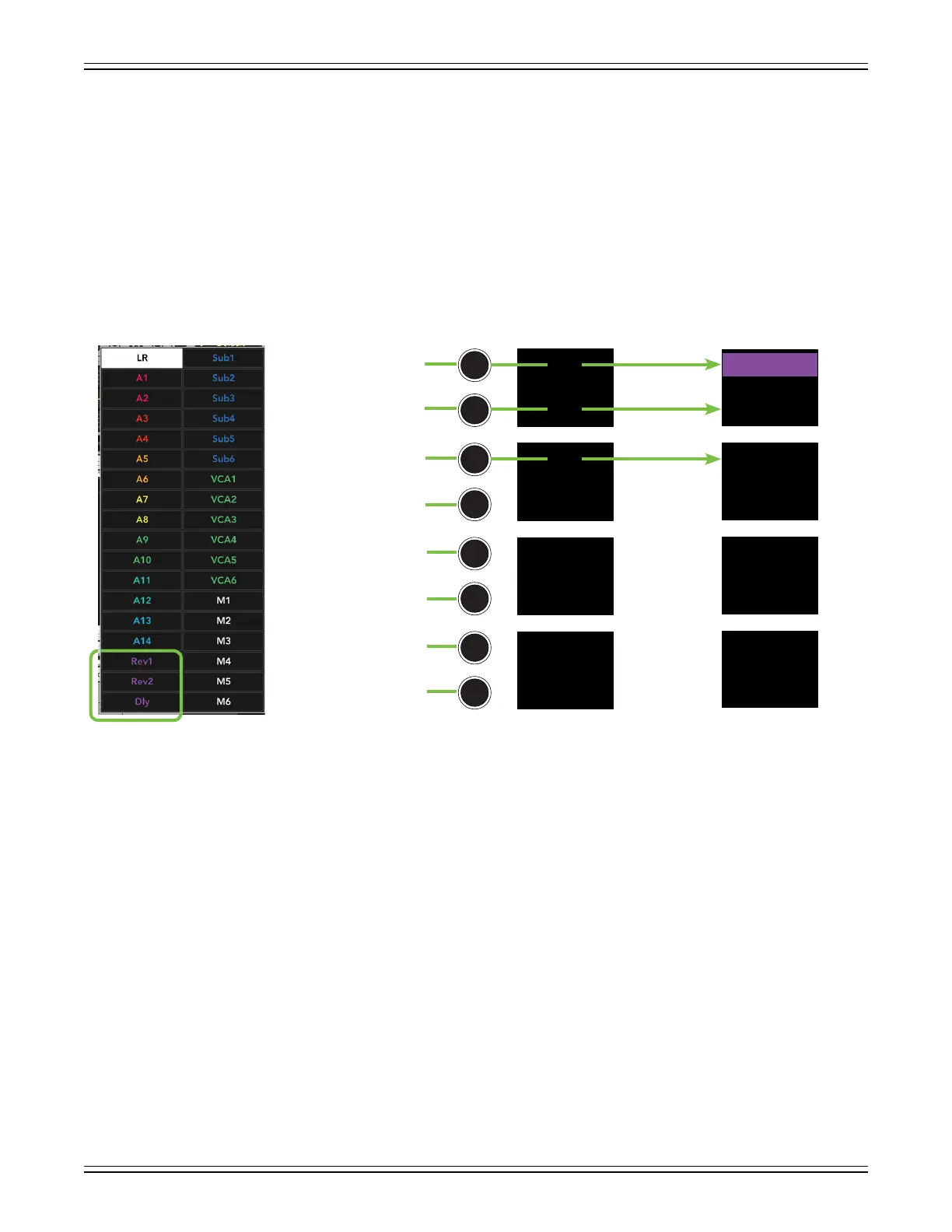
Ok, we’re making progress! Push the page down button again to display the FX mixes.
The customizations in this example are naming and coloring. As seen below, Rev1 retains
the same purple color, but was renamed to its eect, Plate. Rev2 and Dly were renamed to reect
their eect, too – Spring and Tape Echo. However, their colors were changed from their default
purple to yellow (Rev2, Spring) and light green (Dly Tape, Echo).
The mix selector LEDs change to the color of the selected output, letting you know that the channel
faders now control the level of that input to the selected output. As such, the master fader now controls
the level of the selected output. It’s the highlighted Rev1 Plate in this example.
Rev1
N/A
Dly
N/A
Rev2
N/A
N/A
N/A
Dly
Rev1
Rev2
Tape Echo
Plate
Spring
Dly
Rev1
Rev2
Master Fader DC16: FX [Page 3]
DefaultDefault Customized


 To Next Page