DC16 Owner’s Manual
17
Chapter 4 : DC16 Front and Rear Panels
Front Panel Introduction
From left to right, the front panel of each DC16 is outtted with a phones jack and...that’s it!
Let’s take a look at the phones jack then move on to the rear panel before it’s too late.
Phones Jack
This 1/4" TRS connector supplies the output to stereo headphones. The volume is controlled with
the Phones knob located in the upper-right corner of the top panel of the DC16.
The signals sent
to this jack are the same as the signals sent to the monitor outputs, described in two pages.
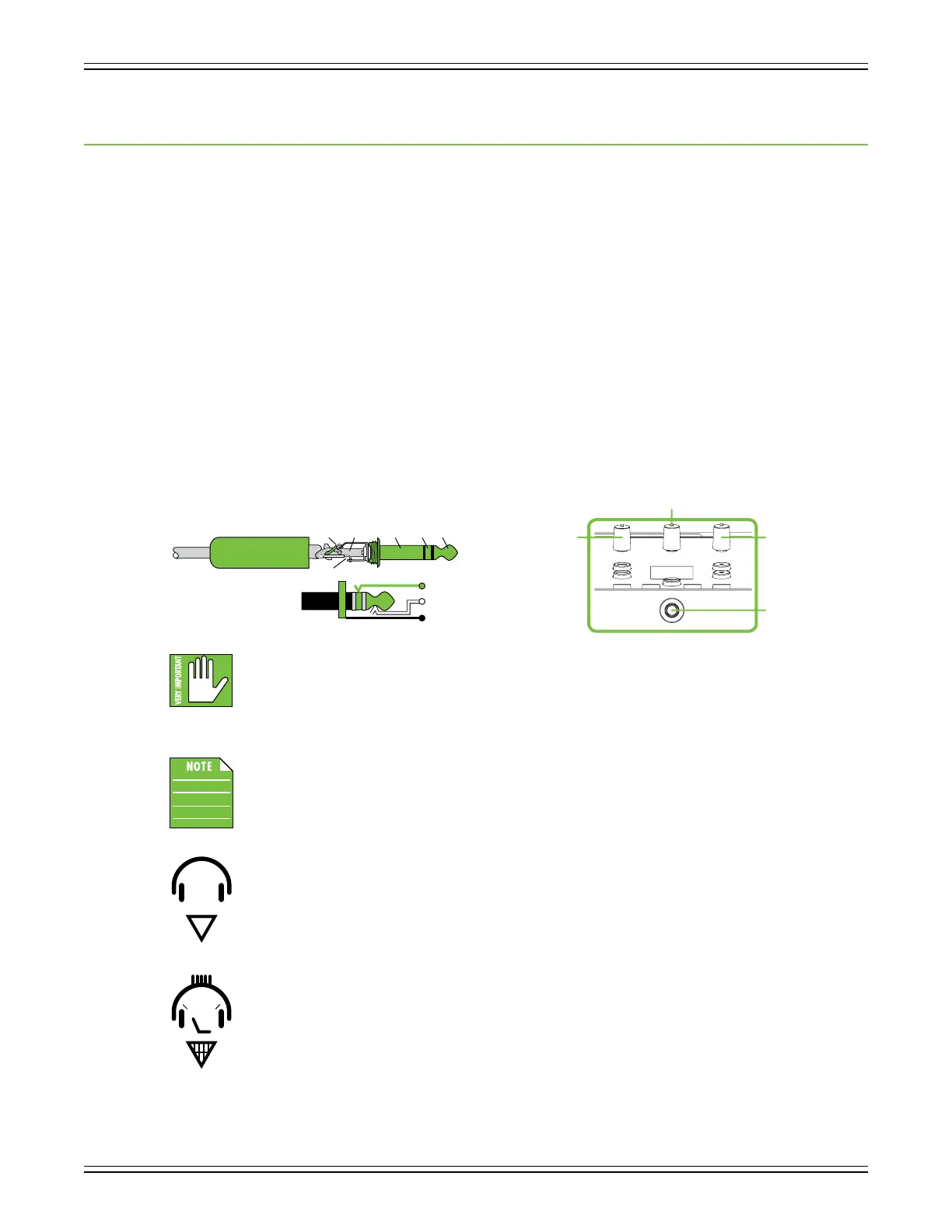
The phones output follows standard conventions:
Tip = Left channel
Ring = Right channel
Sleeve = Ground
Warning: The headphone amp is loud and could cause permanent hearing damage.
Even intermediate levels may be painfully loud with some headphones. BE CAREFUL!
Always turn the phones knob all the way down before connecting headphones, soloing
a channel or doing anything new that may aect the headphone volume. Then turn it up slowly as
you listen carefully.
As mentioned (and seen) above, the phones level is controlled by the phones knob.
Because the phones knob is located on the top panel of DC16, it will be described
in more detail in that section.
A headphones logo with an arrow pointing down (as seen to the left) is located near
the bottom-right of the top panel underneath the bank / channel arrow buttons.
This is to help indicate where the phones jack is located. I keep making suggestions
(see below left), but they never end up using them. No need to fret, though; I’ll continue
to feed ‘em my ideas. I’m sure you like them as much as I do...right?!
SLEEVE
TIPSLEEVE
TIP
RING
RING
TIP
SLEEVERING
Talkback
Knob
Monitor
Knob
Phones
Knob
Phones
Jack


 To Next Page